Sellizer vs PandaDoc: a smooth signature or the right moment to call?
Both tools let you build a proposal and send it to a client, but they start from different places. Sellizer wrote this comparison, so we also say plainly when PandaDoc is the better choice.
You can build a proposal in either, and both show whether the client opened it. The difference is in how they help you take the next step.
PandaDoc
You want to go from quote to signature and payment in one place.
You build the proposal from a product catalog and pricing tables, and the client signs and pays in the same document.
Sellizer
Know when to call and what to talk about.
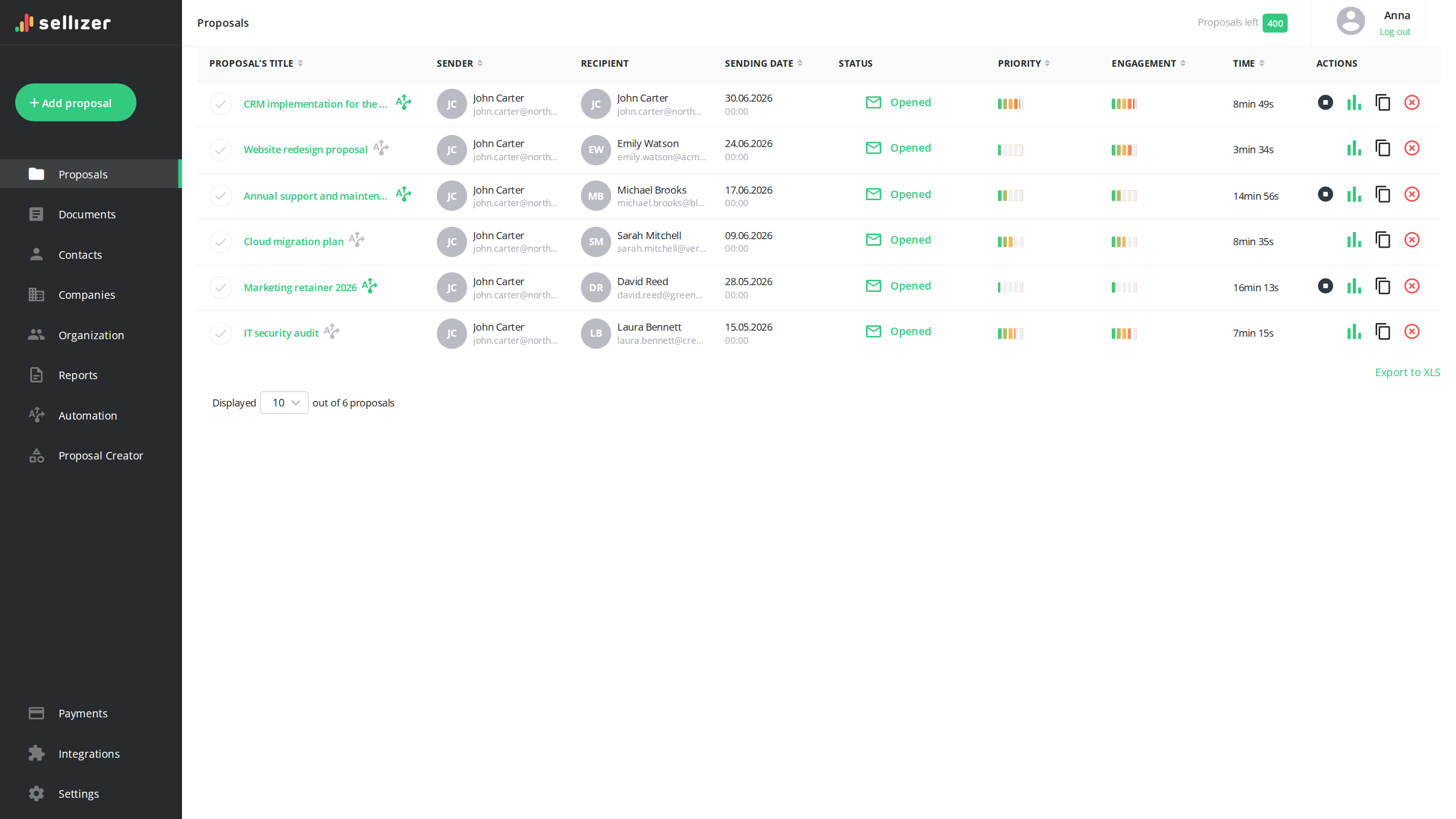
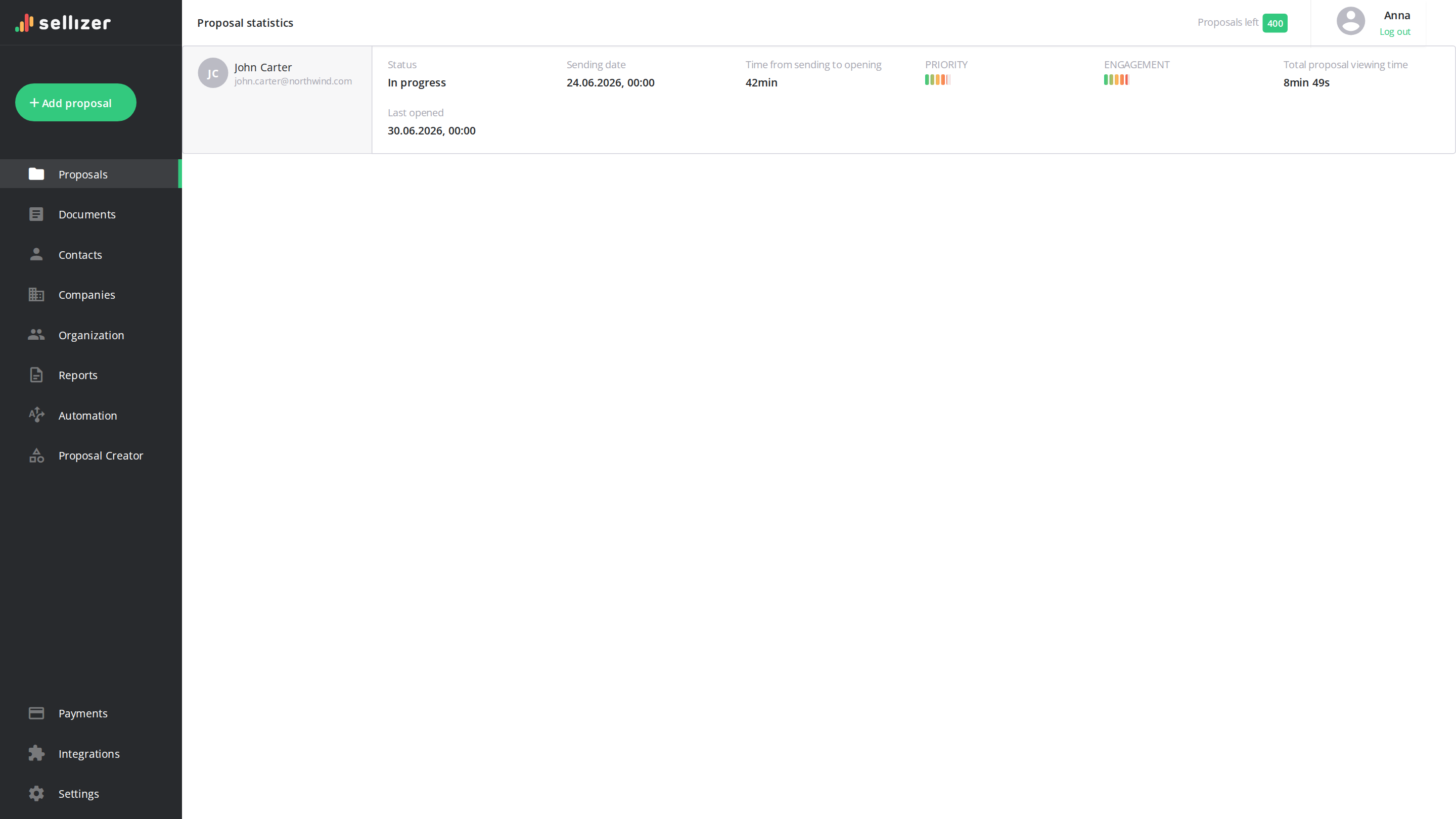
A text message on first open, heatmaps and session replays help you pick the moment and the topic. Priority and Engagement scores show which client to handle first.
Both together
Your PandaDoc templates. Sellizer analytics.
Using PandaDoc templates but no need for e-signature? Send the finished proposal as a PDF through Sellizer and see on heatmaps and session replays how the client reads it.
Sellizer vs PandaDoc: feature comparison
96 features in 10 categories, each with a short explanation. When a feature sits on a pricier plan only or comes with a limit, the cell says so.
Feature
Sellizer
PandaDoc
Sales proposal analytics
Proposal opening notifications SMS on the first opening of the proposal, email on every one - with basic contact details.
Yes
A notification when the proposal is opened, with no SMS alert
Proposal opening details Details of each opening - the recipient's location, device and browser.
Yes
No
Per-page engagement analytics Detailed statistics - how long the proposal was viewed and which pages caught the recipient's attention or were skipped.
Yes
Time, view count and share of time for each page of the proposal, in full on higher plans
Print, download and forward tracking Information on whether the proposal was printed or forwarded.
Yes
A notification when the proposal is forwarded and information about PDF downloads, with no print tracking
Heatmap A view of exactly what the recipient looked at on each page of the proposal.
Yes
No
Session recording A replay of what happened on each page after the proposal was sent.
Yes
No
Engagement and priority indicators Indicators showing the recipient's interest and suggesting which proposal to handle first.
Yes
No
Individual activity reports A summary of the effectiveness and open rate of your own proposals in one overview.
Yes
Yes
Email open monitoring Whether the recipient opened your email - separately from opening the proposal itself.
Yes
Yes
Real-time statistics Proposal statistics refreshed in real time, every 5 seconds.
Yes
Yes
AI proposal optimization Suggestions for improvements based on recipient behavior - hints on which sections to expand, shorten, or highlight to boost conversion.
No
No
AI chat in the app Quick conversational access to sales data - ask about proposal statuses, results, and insights without creating manual reports.
No
No
AI action recommendations Ready outreach scenario - AI sets the sequence of actions and suggests who to contact, what to say, or which follow-up message to send.
No
No
Aggregate proposal analytics Clear dashboard with aggregated statistics - summary of open times, most-read sections, and overall proposal performance.
No
No
Proposal creation & management
Proposal Editor Building a proposal directly in the system, without creating it in an external tool.
Yes
Yes
Sending proposals by any channel Send proposals however you prefer - a ready-made link to share yourself, or an email sent from the system.
Yes
Yes
Multiple files in 1 message Proposals made up of up to 10 PDF files of up to 200 MB each, in a single message.
Yes
Yes
Multiple file formats Attach files in various formats to a single proposal.
Yes
Yes
Mass sending avoiding SPAM Proposals to many recipients from a CSV file, sent from your own email or the built-in mass-sending system - without landing in SPAM.
Yes
CSV sending free for the account's first year, chargeable after that
Proposal statuses Won / Lost / In progress statuses to keep your proposals organized.
Yes
No
Quick proposal duplication Resending the same proposal to new recipients, without uploading it to the system again.
Yes
Yes
Proposal history and storage All sent proposals in one place, with a view of their history.
Yes
Yes
Document library Storing and sharing sales files, ready to use at any time.
Yes
Yes
Advanced filters Detailed filters to find proposals, senders and documents fast.
Yes
Yes
AI chat in the creator Generating and editing proposal content using simple text prompts.
Yes
Yes
AI proposal review Automated document verification before sending - evaluating clarity, structure, and argument strength with ready suggestions for changes.
No
No
E-signature Fast and secure online proposal acceptance - directly within the document, without external applications.
No
60 documents a year on the free plan, unlimited on paid ones
Payments on the proposal Option to pay for the order immediately directly from the document (e.g., via Stripe or BLIK).
No
Yes
Interactive HTML proposal Proposals created as modern web pages with full tracking of opens, clicks, and reading time.
No
No
SMS to the recipient with the proposal Automated SMS notification sent to the recipient the moment the proposal is shared.
No
The proposal sent by SMS alongside email, on higher annual plans
Comments and redlining Comments and edit suggestions added directly to the proposal content, with a visible record of who changed what.
No
The recipient proposes changes, the author accepts them one by one, and once the edits close the proposal goes to signature by itself, all available on higher plans
Document version history Successive versions of the proposal content saved, with the option to compare changes and roll back to an earlier one.
No
Yes
Multiple signers and signing order Collecting signatures from several people in a defined order - with separate tracking of who has already signed.
No
The order is set on the template, while grouping people to sign simultaneously is on the top plan only
Interactive pricing table A pricing table in the proposal where the recipient picks options and quantities, with the total recalculating live.
No
Variants are shown as packages side by side for the recipient to pick one, available on higher plans
Pricing library A central catalogue of products and services with current prices, which the team pulls line items from.
No
A product catalogue with catalogue numbers and photographs, uploaded as a file, available on higher plans
Digital sales room A shared space for buyer and seller holding every document for the whole length of the deal.
No
Yes
Contracts Contracts handled alongside proposals - with clause templates and locked sections a rep cannot change.
No
Clauses kept in the content library, and the block holding them locks against deletion as well as editing, on the top plan or for an extra fee on the lower plan
Invoices and billing Invoices and billing documents issued in the same tool where the proposal is created.
No
No
Contract repository A central archive of signed documents, searchable by content and by counterparty.
No
Search by your own data fields, filled in by hand, available on higher plans
Bulk send for signature The same document sent for signature to many recipients at once, each as a separate copy.
No
Yes
Ready-made industry templates A library of ready-made proposal templates for specific industries, usable without a designer.
Yes
Yes
Word and PDF import An existing document imported with its layout intact and turned into an editable proposal.
No
A Word file turns into an editable proposal, but without margins, page colours and a table of contents, while a PDF comes in as non-editable pages
Multi-currency and tax Quotes in multiple currencies with the correct tax rates for the recipient's country.
No
One currency for the whole proposal, with tax rates entered by hand and no matching to the recipient's country
Recurring payments Collecting not just a one-off payment from the proposal, but a recurring subscription charge too.
No
A subscription charge taken through the payment gateway on higher plans, alongside splitting a single amount into instalments with dates counted from the proposal closing or taken from a calendar
Sales automation
Message templates Saved message content and sending settings, ready to reuse.
Yes
Saved message bodies ready for reuse, without saved sending settings
Automatic follow-ups A sequence of messages sent automatically when set conditions are met - so nothing slips through.
Yes
An automatic signature reminder, with no message sequence of your own
Proposal expiry date Set an expiry date for proposals, with a reminder before they expire.
Yes
Yes
Scheduled sending Scheduled proposals to go out on a chosen day and time.
Yes
No
Proposal widgets Widgets in the proposal: request a call or a contract template in one click.
Yes
No
Lead forms A form for your website - once submitted, the client receives the proposal and its full statistics appear in the system.
Yes
A form embedded in your site creates a proposal to sign; on higher plans a paid add-on with 250 submissions a year, then USD 2 each
Automatic sales reports Automatic reports at the intervals you choose, covering both team and individual activity.
Yes
No
Snippets and content personalization One message sent to multiple clients simultaneously - with automatically matched data for each recipient.
No
Recipient variables available on paid plans, with rule-driven content on the top plan
Question in the proposal window Option for the recipient to ask a question directly while viewing the document.
No
Yes
Approval workflows Manager approval before the proposal goes out - triggered automatically when a discount or deal value crosses a set threshold.
No
Approvals on higher plans, with a discount threshold that routes the proposal to a manager by itself for an extra fee on the lower plan
CPQ and pricing rules Quotes assembled automatically from a product configuration - rules enforce the allowed variants and discounts.
No
A questionnaire for the rep builds the quote, while rules and calculation tables police discounts, the whole thing a paid add-on to the top plan
Mutual action plan A closing plan agreed with the client, with tasks and deadlines assigned on both sides.
No
A file can be attached to each task, and a chart shows how many tasks are done, overdue and approaching their deadline, all available on higher plans
Meeting booking in the proposal A calendar embedded in the document - the recipient books a call without leaving the proposal.
No
No
Client onboarding after signing Next steps triggered automatically once the proposal is accepted - a form, the payment and a kickoff meeting.
No
Once the proposal closes, an automation sends the same recipients another document from a chosen template, with no kickoff call arranged, all available on higher plans
Renewal reminders An alert before a contract term ends, in time to renew or terminate.
No
Only the contract owner gets the alert, not the counterparty, on the top plan or for an extra fee on the lower plan
Proposal personalization
Your own subdomain The proposal link within your own subdomain.
Yes
No
Proposal personalization Your own logo in the proposal window and the proposal shown under your company domain - the recipient sees no external tool.
Yes
Your own logo, colours and themes in the proposal, but no proposal address on your own domain
Language of the recipient's proposal window The proposal viewing window in the recipient's language - choose from PL, EN, DE, IT.
Yes
The recipient's window in 16 languages including Polish, on paid plans
Proposal link format Choose how the proposal link looks: a clickable graphic or plain text.
Yes
No
Personalized email signature Your own signature in your proposal emails - ready to paste or build in the editor.
Yes
Your own footer text in proposal emails, available on higher plans
JavaScript codes support Your own JavaScript code, e.g. for personalized ads on Facebook or Google Ads.
Yes
No
Google Consent Mode v2 Remarketing to people who viewed the proposal - with GDPR consent handling for marketing pixels, without extra tools.
Yes
No
Embedded interactive content Video, surveys, maps and calculators embedded in the proposal itself, rather than attached as files.
No
No
Block-based proposal design The proposal layout built from blocks without a designer - as opposed to filling in a fixed, ready-made template.
Yes
Yes
Integrations
Email integration Sending proposals from your own email address; with an IMAP connection, proposals also land in your Sent folder.
Yes
No
Outlook integration Sending and tracking proposals straight from Outlook.
Yes
No
CRM integrations Sending proposals directly from popular CRM systems - Pipedrive, HubSpot, Salesforce, Livespace, Bitrix24, Raynet, Firmao, Zoho, Monday, MS Dynamics 365, Baseline.
Yes
More than 10 CRMs including Pipedrive, HubSpot and Zoho, with Salesforce for an extra fee
Callpage integration The proposal recipient requests a quick callback in one click.
Yes
No
Browser extension An extension for Chrome, Edge and Firefox - send a tracked proposal from any page, without opening the panel.
Yes
A Chrome extension for sending and signing without leaving the page, with no Edge or Firefox
MCP server Access to sales data from AI apps (Claude, ChatGPT) - without manually searching through proposals.
Yes
Connectors for Claude and ChatGPT on all plans, except accounts on EU servers
Webhooks Notifications about proposal events sent to external systems (Zapier, Make, n8n, CRM).
Yes
Yes
API access Connecting with other tools and exchanging data via API.
Yes
On the top plan for an extra fee, and every proposal created this way counts against a credit pool - free in the account's first year, purchased after that
Team & contact management
Maximum team size The maximum number of accounts in the team, depending on the plan.
Yes
No
Sales team management The whole team's proposals in one place, with roles and permissions control.
Yes
Yes
Contact book All client data - people and companies - in one place; data from the first send is saved automatically as a new contact.
Yes
Yes
Team activity reports Automatic reports showing the sales team's results.
Yes
Yes
Notifications personalization Choose which notifications you get, how often and through which channel.
Yes
Yes
Section assignment to authors Parts of the proposal assigned to specific people, so each fills in their own section.
No
No
Security
GDPR compliance Data stored securely and lawfully, in line with GDPR.
Yes
GDPR and eIDAS compliance, with EU server selection on the top plan
Data security Data stored securely in the cloud, with regular backups.
Yes
Yes
Proposal access restriction Securing the document with a password or limiting access exclusively to selected email addresses.
No
An access code, SMS code or email code before the proposal opens, on higher plans
Audit trail An immutable log of document events - who did what and when, available for review in case of a dispute.
No
A log of proposal status changes with CSV export, covering identity verification attempts and payment events as well
Company account sign-in (SSO) Signing in through the company identity provider, with no separate password for the tool.
No
SAML 2.0 login with Okta, OneLogin or Microsoft AD, on the top plan, and on the lower plan as an add-on at USD 20 per user per month
Dynamic watermark A watermark stamped onto the document with the specific viewer's details - their address, IP and time of viewing.
No
No
NDA before access A non-disclosure agreement the recipient must accept before the document content becomes visible.
No
No
Folder and file permissions Access granted separately per file and folder, instead of one shared link to everything.
No
Yes
Signer identity verification Confirming who is signing - by SMS code, an identity document or bank login.
No
A check of an identity document or questions from public records, at USD 2 per attempt on higher plans, with the questions working only for US citizens
Support & onboarding
Technical support Ongoing technical support for any questions or issues.
Yes
Yes
Dedicated account manager A dedicated manager on hand to help when needed.
Yes
An account manager assigned by arrangement with the vendor
Team onboarding and training Personalized onboarding and training on how to get the most out of the tool.
Yes
Onboarding in four packages, with a kickoff call and training for admins and the team
Plan limits
Number of proposals/recipients Control over the number of proposals in the plan and the number of recipients per billing period.
Yes
60 proposals a year and two recipients per proposal on the free plan, unlimited on paid ones
Pricing
Pricing Sellizer: Solo USD 17.60, Team USD 28.00 per user per month. PandaDoc: USD 0, 19 and 49 per user per month. Vendors' list prices with annual billing, as of October 2026.
USD 17.60 (Solo) and USD 28.00 (Team) per user per month
USD 0 / 19 / 49 per user per month
When Sellizer wins, and when PandaDoc does
Know when to call and what to ask.
Sellizer fits when you need detailed interest signals: a text message on first open, heatmaps and session replays
Priority and Engagement scores help you set the order of your calls
Collect signature and payment in one document.
PandaDoc is the better choice when the client should sign the proposal and pay right away
It also handles signatures from several people in a set order
From a short brief to a proposal and the next contact.
In Sellizer, AI connected through MCP turns your materials into an editable proposal in your company branding
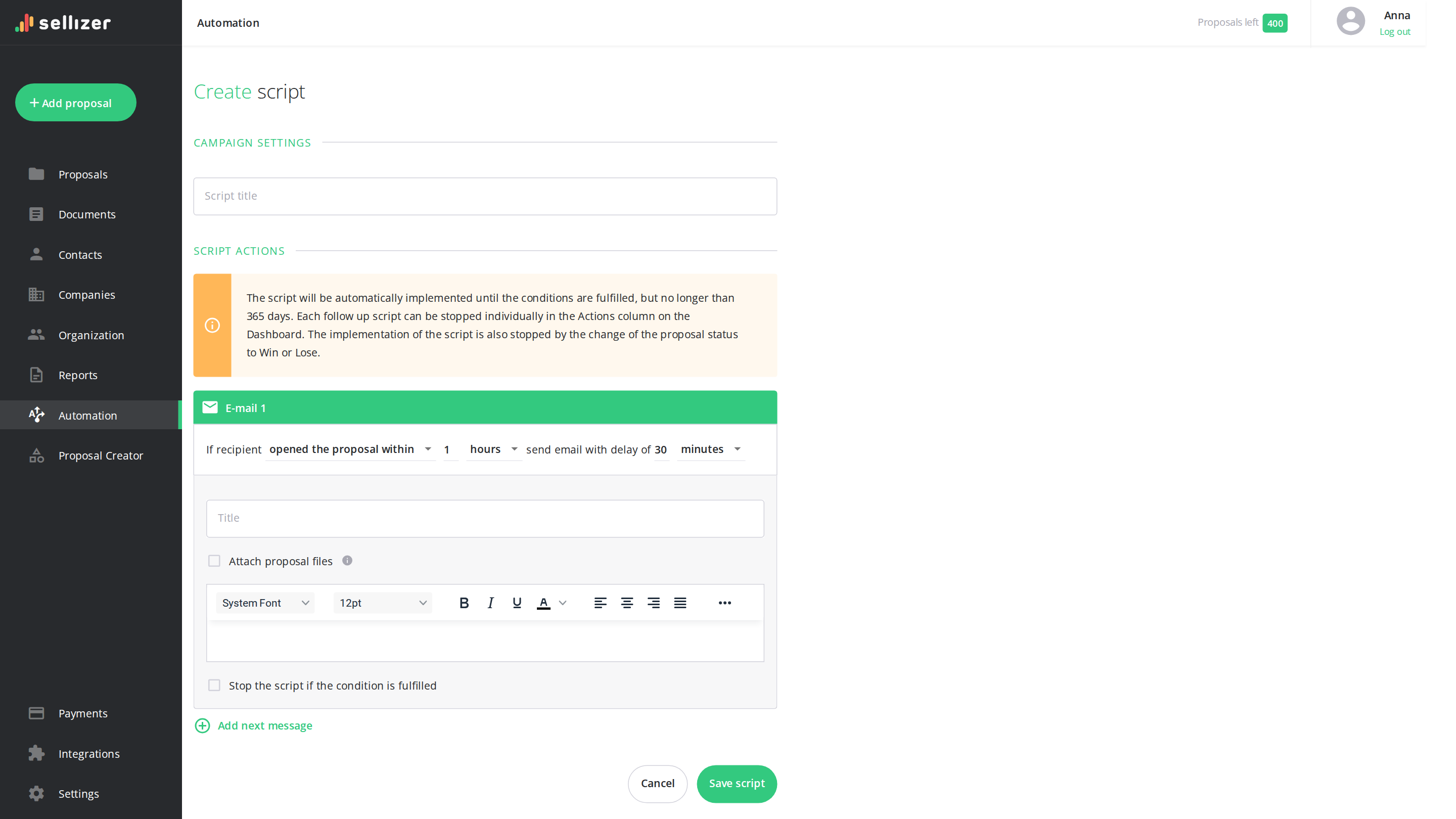
After sending, your own follow-up sequences can react when a proposal goes unopened or the client comes back to it
Let the client choose options, with the price updating live.
PandaDoc fits quotes with many products and options
The catalog and interactive pricing tables let the client pick items and quantities, and the total updates automatically
Where Sellizer goes further than PandaDoc
1
The client opens the proposal. You get a text message.
Sellizer sends a text message on the first open of a proposal and an email on every open. The alert lands on your phone even between meetings, so you can get back to the client while they are still reading. PandaDoc also tells you about opens, but without a text alert.
PandaDoc shows the time spent on each page. Sellizer adds heatmaps and session replays. Before the call you can check how the client went through the proposal: whether they paused on the price, the scope or the case studies. That gives you a starting point for specific questions.
Set the order of your calls and run your own follow-ups.
Priority and Engagement scores help you pick the proposals worth handling first. You can tie your own message sequences to a proposal that was never opened or to a client coming back to it. PandaDoc offers automatic reminders to sign the document.
USD 1,260Less per year with Sellizer TeamPrice difference between the compared plans for 5 people
Prices in USD, excluding tax, billed annually. The calculation covers base subscriptions only, without add-on packages or services. As of October 2026.
What Sellizer customers say
Sellizer made it possible for us to increase the pace of customer acquisition by 300% last year thanks to additional knowledge of how customers perceive our proposals. I strongly recommend it to anyone who wants to be more efficient in such a fast-changing business and new technologies environment!
Maciej Zagórowski
CEO Fabryka e-biznesu
Thanks to Sellizer, I know which parts of my proposals are the most interesting for my customers - it gives me great basis to start a valuable conversation. I can also contact with clients in the best time - when they have my proposal right in front of them. Such combination made it so much easier for me to sell projects.
Damian Rams
Digital Analytics Consultant, DamianRams.pl
We like clever solutions. Just like in Sellizer, we believe that the time of contact with the customer really makes a big difference, so we decided to integrate our tools. Thus, Sellizer user gets a SMS message about the opening of the proposal and statistics and recipients of their proposals can ask for contact via Callpage widget. Awesome!
Sergey Butko
CMO & Co-Founder Callpage
Using Sellizer has improved our communication, both within and outside the company. In our internal communication, we use Sellizer to send important documents to ensure that they have not been skipped or missed among many other messages. Moreover, thanks to the use of the tool in communication with potential partners, we can see at what stage our relationship is.
Tomasz Świeboda
Managing Partner Inovo.vc
LinkedIn is the most important channel for communicating with clients. Sellizer allows me to quickly and conveniently send presentations and proposals, and what’s most important, allows me to react quickly to their opening, analyse interest in them and consequently conduct valuable business conversations. I recommend.
Sellizer helps us respond to questions from our customers at the right time. Thanks to that we give added value already at the sales stage which allows us to build a relationship with the customer from the very beginning. This is very valuable to us.
Although Sellizer can at first glance be seen as a tool only for sending proposals, I can certainly confirm that it also works for sending sales folders, contracts and other documents. Thanks to this, we have a real-time preview of what is the most valuable to the customer in each document (on which parts they spent most of the time) and what needs to be improved.
Sellizer enables a thorough analysis of the customer in terms of interest in our proposal, which helps us save time in the further parts of sales process. When receiving information on how long the customer has been reading each pages of the proposal, I can predict whether the sales process will continue or our proposal is just a market recognition for statistical purposes of the potential customer.
Sellizer has become an inseparable tool for us in communication on several levels. As an intermediary in the logistics industry, we come into contact with both operators and their customers. Sellizer allows us to work with both the first (reporting) and the second (sending proposals) Partners. Thanks to the systematisation and transparency of the activities in Sellizer, we have been able to significantly increase the rate of acquired customers.
Until now, our knowledge has been ending at the stage of sending the proposal - and thanks to Sellizer - now this is the point where the acquisition of the greatest amount of knowledge about the client begins which allows the marketing team to understand better the needs and match the proposal content to the customers and sales team to contact the customers always at the right time. Thanks to the opportunities that Sellizer gives us, we can everyday increase our chances in a game called sales.
Very often we wondered why, despite sending a large number of proposals, many of them still remained unanswered. Thanks to Sellizer, we have structured our sales process, organized sending proposals and gained awareness of their quality. Now we can easily track which parts of our proposals are the most valuable for our customers and continuously improve them. I am pleased that with Sellizer we make better use of our time as well as the potential of our customers.
We sincerely recommend Sellizer. It helps our sales team in daily duties and prioritizing customers. But that's not all. At the department level, it gives us the opportunity to improve the entire sales process based on easily measurable criteria.
Thanks to Sellizer we have optimized our process of preparing proposals. With data sets we create tailor-made proposals to meet customers’ needs and expectations, which improves the conversion rate. I’d recommend it to anyone!
Sebastian Żarnowski
Customer Services Specialist, Kampanie SEO
Sellizer or PandaDoc: which one to pick?
1
Sellizer
When the proposal is out and you need the next conversation
Pick Sellizer if you send a proposal and then have to decide who to call, when and with what question.
Pros
Build an editable proposal in your own branding, with AI through MCP if you like.
A text message on first open, heatmaps and session replays help you time the call and prepare your questions.
Priority and Engagement scores make it easy to order your calls, and your own sequences automate follow-ups.
Cons
Sellizer has no e-signature or payments in the proposal.
When the client should pick an option, sign and pay
Pick PandaDoc if you need a proposal where the client chooses the line items, sees the price recalculated and moves on to formal approval of the purchase.
Pros
Build the quote from a product catalog and interactive pricing tables.
Collect signatures from several people in a set order.
Let the client pay right in the document.
Cons
PandaDoc shows activity on document pages, but it has no heatmaps, no session replays and no text alert to the rep on open.
3
Sellizer and PandaDoc together
When you want to keep your templates and get sharper analytics
Your PandaDoc templates are polished, but you don't need e-signature at the proposal stage? Prepare the document as you do now and send the finished PDF through Sellizer.
Pros
Keep your current templates without rebuilding them in another tool.
See on heatmaps and session replays how the client reads the proposal.
Set up alerts and your own follow-up sequences in Sellizer.
Cons
You pay for two subscriptions and export the proposal to PDF before sending.
Sellizer vs PandaDoc: FAQ
How is Sellizer different from PandaDoc?
PandaDoc builds the document and collects the signature on it. Sellizer watches what happens after you send: an SMS on the first open, per-page analytics, heatmaps and session recordings, Priority and Engagement scores, and follow-up sequences of your own. PandaDoc stops where Sellizer starts.
Does Sellizer offer e-signature?
No. PandaDoc has e-signature built into the document and that is a genuine argument in its favour. Sellizer focuses on sending, tracking and following up - if signing inside the proposal is critical for you, pick PandaDoc.
Does PandaDoc show which pages the client read?
Yes - it reports time, view count and share of time for each page, though the full analytics only comes with the higher plans. Sellizer gives you the same from the first plan and adds a heatmap and a session recording, so you see not just how long, but what the recipient looked at.
Is Sellizer a cheaper alternative to PandaDoc?
PandaDoc has a free plan and paid tiers at USD 19 and 49 per user per month. Sellizer costs USD 17.60 on Solo and USD 28.00 on Team. In the middle bracket we are comparable; the difference is that in PandaDoc bulk sending, forms and the API can be paid add-ons. As of August 2026.
When is PandaDoc the better choice?
When you need one tool to build the proposal, sign it and take payment. PandaDoc adds quoting with discount rules, approval paths, comments and redlining, document versioning, several signatories with a signing order, contracts with a repository, import from Word and PDF, recurring payments and signer identity verification - Sellizer has none of these. Choose Sellizer when you already have your proposals and what you lack is knowing who reads them, and the discipline to follow up.
Try Sellizer: proposal building and tracking in one tool