

-
English
-
Product
- Pricing
-
Help center
- Case studies
-


 English
Choose a category to discover all features of Sellizer.

Wondering if the Client had time to review your proposal, or maybe they did it right after you sent it and have already forgotten? Now you don't have to guess!

Until now, you learned about the Client's opinion of your proposal secondhand – you only knew what they told you themselves. The problem is that "people don't think what they feel, don't say what they think, and don't do what they say" (David Ogilvy).

5...4...3...2...1... New data! Statistics are knowledge worth its weight in gold, because every piece of information increases the chance of a sale and profit. We know that up-to-date data is the most valuable, which is why we refresh it for you in real time with incredible frequency – every 5 seconds!

The client isn't responding? Nothing new, but you wonder if they even opened your email. You've probably already used tools that notify you about opens - you can find them in your email client or as external plugins. However, you've noticed that their accuracy isn't entirely reliable. We have a better solution.

So many contacts, so little time! If only you could tell the promising ones from those barely interested - and on top of that, know who's worth coming back to after a longer silence. You actually can. Each of your proposals gets two indicators on a 0-100 scale that together give you the full picture of what's happening with the recipient.

Your proposal stats already tell you a client spent a good while on a given page. But they don't tell you what exactly they were looking at. That changes now - two new features show you precisely what happened within each page after you sent the proposal.

Have you ever heard of lead nurturing? It's about feeding the contact, gently warming them up, strengthening the relationship, and bringing it to a boil that ends in a desired sale. That's your daily, sometimes tedious work, consisting of an endless cycle of proposals, phone calls, and follow-ups.
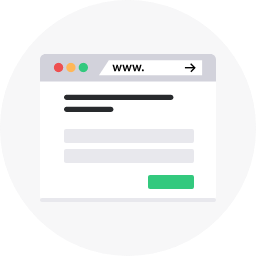
Turn your website into a lead generation machine! With just a few clicks, you'll configure a pop-up window with a sign-up form containing fields like email, phone number, and first name. The finished design will be generated by Sellizer as code ready to paste onto your website.

Do you work according to a well-thought-out plan, have your own template that you always use for the first message, or in emails summarizing a conversation? Why rewrite or copy-paste it from a file every time when you can create a template in Sellizer?

You're probably used to the way you send proposals: via Facebook, Skype, or even by SMS – fortunately, to enjoy all the benefits of Sellizer, you don't have to change that. From within the tool, you can easily generate a proposal link that you can mask with your own text.

You know how it is with mass email sends: you have a unique, attractive proposal you've been working on for the past week and you're convinced all Clients should love it. First, you struggle to send everything without violating GDPR, and when push comes to shove, half the recipients don't receive your message because it lands in SPAM. That's over now.

Sometimes you need to give the Client some initiative, so when you don't want to contact them right after they open the proposal, you leave the ball in their court by inserting a widget at the end of the document with a single click. The recipient will see a special window with a form containing a message encouraging them to leave their phone number or email and information about the possibility of a consultation. We'll immediately forward the callback request to your email.

PROPOSAL -> CONTRACT -> DEAL! Can it really be that simple? Try the "Request a contract" widget and see for yourself. You can enable this feature in the Sellizer panel when sending a proposal. While browsing your proposal, the Client will see a special window with an email address field and a button that allows them to instantly request a contract. The request notification will be immediately sent to your email. Closing the sale is within reach.

Do you work late, on weekends, or maybe you simply serve Clients from a different time zone? Sending a proposal at 4 AM is a bad idea, but after hours spent at the computer, you just want to get it done. Schedule the delivery in advance – choose a specific date and time for your proposals to be sent, and Sellizer will take care of the rest.

A general, standard, packaged, template proposal, or simply the same one because it's targeted at several Clients with similar expectations and needs. What do you do when you want to send it again to a different recipient? With the quick proposal copying option, you can do it without filling in all the data from scratch – just enter the new recipient's details and click send.
For salespeople, reports can be a nuisance and an imposed necessity; for managers, they're a convenient summary and source of current knowledge about team efficiency. How to bridge these two worlds? The answer is automatic reports – now you don't have to waste time on reporting, yet you still get quick periodic summaries of sales activity – yours and your team's.

JavaScript codes are used to support and integrate many useful tools that can take sales to a whole new level. With this Sellizer module, you can easily paste lines of code that will open the door to displaying personalized ads on Facebook and the Google Display Network.

Choose whether the proposals you send should take the form of a clickable attachment or a link. Regardless of which option you choose, Sellizer gives you additional customization and personalization possibilities.

Pay attention to details and demonstrate professionalism by setting your company's logo in the proposal display window and personalizing the proposal link using your company domain. When the Client opens your proposal, they'll see that it's hosted on the domain of the company you represent.

Do you serve international Clients? It's natural that you want the proposal viewing window to be displayed in the appropriate language. We've made sure you can adjust the language to match the recipient's needs. Select English so that the messages displayed while viewing the proposal are understandable for international Clients as well.

Want the messages sent from Sellizer to look the same as the emails you've been sending so far? Ensure full personalization of your communication with Clients by adding your own email signature. You can create it in Sellizer's editor or paste the HTML template you've been using until now.

Expand your proposals' capabilities! By adding special widgets, you can extend the functionality of your sent proposals, making it easier for the recipient to make a return contact. Displaying a widget to the Client makes it much easier for them to request a consultation or a contract draft.

What's better than one proposal? Two proposals! Sometimes you send multiple proposal files, options, packages, presentations, bonuses... Now you can fit everything, because a single proposal sent through Sellizer can consist of up to 10 different files with a maximum size of 200MB each.

Until now you created your proposal in an external tool and uploaded a finished file to Sellizer. Now you can do it all in one place - the proposal editor lets you build it directly in Sellizer.

A proposal sent through Sellizer is web traffic too - the recipient opens the link, spends a few minutes inside, clicks, scrolls. Those are real engagement signals. Now you can put them to work in your marketing.

Move your team to Sellizer! In just a few seconds, you'll add all your colleagues to the system - simply provide their email addresses. As a leader, you can track your entire team's work and effectiveness in real time. This gives you the chance to quickly identify critical points in the sales process and fix them.

Your team is unique, because there simply isn't another one like it. Teams can vary: small, large, with a clear hierarchy, or where everyone works at equal positions. Often everyone has similar experience, but usually there's both a mentor and a newcomer on the team. Sellizer adapts to every team and every management model.

Want to maintain control over results and work efficiency? You'll appreciate the team activity reports available in the app and regularly sent by email every week, month, quarter, and year. The clear and convenient report format will allow you to quickly verify team effectiveness and determine which salesperson is performing best and who might need help.

How many times do you write to the same person? Another proposal, another proposal, a reminder, or simply maintaining the relationship. Sales is a process that usually requires more than one contact. With the contact book, once entered, a contact stays at hand so you can recall it in a few clicks without having to type it in manually.

Sellizer allows you to add individual contacts and archive the communication you conduct with them. We've taken this functionality to a whole new level by enabling the creation of company profiles to which you can assign individual contacts.
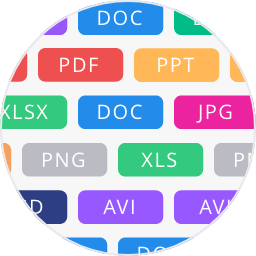
A proposal can take many forms - and definitely more than one file format. Sometimes you send a table, sometimes a spreadsheet, other times a written explanation or a visual. Now, in addition to the good old .pdf, Sellizer supports many other file types you use every day. Supported formats: PDF, DOC, DOCX, XLS, XLSX, PPT, PPTX, PNG, JPG, MP4, HTML.

Upload once, use whenever you need – by yourself or with your entire team. The document module in Sellizer lets you store and share the sales files you need without storage limits or time restrictions. Your documents are completely safe and always at hand.

Regardless of the device you use, the place or situation you're in, your proposals and open sales opportunities are always within reach. Sellizer works in the cloud, which means it's always close to you.

Is the huge number of sent proposals making you lose track? That won't happen! We've provided you with filters that will allow you to quickly sort and find individual documents.

Nothing is lost in nature, and nothing is lost in Sellizer either. All your activities are archived on cloud servers, so you can always go back to your past contacts and retrieve proposals and Clients you worked with months ago, or share them with other team members.

Won, lost, in progress. You can describe each proposal this way to better understand your work progress. By default, a sent proposal will appear on your dashboard with an "In progress" status; you can change this status yourself to better reflect the situation.

Sellizer fits perfectly into your sales process. With a ready-made plugin, you can connect it to the sales management tools you already use, such as Pipedrive.

Do you use numerous tools to improve sales? Connect them to discover many interesting possibilities and an entirely new quality of work.

We constantly add new plugins to make integrating Sellizer with popular sales support tools as easy as possible. Next up is Bitrix24. Now you can conveniently manage sales by sending proposals with Sellizer directly from your Bitrix24 panel.

Baseline is a multi-module platform where the CRM system plays a key role. It enables efficient sales funnel management, quick preparation of commercial proposals, result analysis, and target settlement. All the most important tools in one cohesive work environment.

Your CRM should work hand in hand with tools that actually help you close deals. Connect Sellizer to Raynet CRM using a ready-made plugin and add a new dimension to your sales data.

Firmao streamlines processes across your company, while Sellizer boosts their sales effectiveness. Just a few clicks are enough to connect both tools with a ready-made plugin and start working more efficiently in one system.

Already using HubSpot and want to know more about what happens with your proposals after sending them? Connect Sellizer – the ready-made integration lets you track client engagement without leaving HubSpot.

Zoho CRM is your sales management hub - and Sellizer helps you make decisions with even greater confidence. Connect both tools and see who opens your proposals, how long they read them, which pages they return to, and when - all without leaving Zoho.

Salesforce is one of the most powerful CRM platforms on the market - and Sellizer is the perfect partner to enrich it with analytics on how clients engage with your proposals. The ready-made integration allows you to quickly connect both systems.

Monday Sales CRM focuses on visual sales process management, while Sellizer delivers concrete data on how clients interact with your proposals. Combine them so your pipeline gains solid proposal analytics.

Working within the Microsoft ecosystem? Sellizer fits right in. Integrate it with Dynamics 365 and enrich your CRM with precise data on how clients interact with your proposals.

Sending proposals by email is a daily routine for most people responsible for sales and business results. That's why, to make your life easier, we've created a simple way to integrate Sellizer with your mailbox. If you use Gmail, the integration will be automatic; in other cases, you just need to fill in your SMTP/IMAP details.

Using Outlook 2013+? Great – don't change your habits. Simply download the plugin, work as usual, only better – with Sellizer!

The Thunderbird add-on lets you send a tracked proposal and check how it's doing without opening the Sellizer panel, straight from your mail window. Sellizer stays within reach, right where you write your emails anyway.

From quick contact, through a great proposal, to a lightning-fast sales close! Easy integration of Sellizer with CallPage through a ready-made plugin gives you control over the entire process, and shows the Client what professional contact and exemplary service mean.

One API to rule them all. One to build sales. One to gather data and work smart! With the API, you'll combine the advantages Sellizer gives you with data from other tools.

The browser extension lets you send a tracked proposal without opening the Sellizer panel, no matter what page you're currently on. Works with Chrome, Microsoft Edge, and Firefox. Sellizer is always within reach - right where you work.
Webhooks let you automatically notify other tools about events on your proposals - without having to check the Sellizer panel. They work with any system that can receive HTTP notifications - including Zapier, Make, n8n, or your CRM.

The MCP server lets you talk to your sales data like an assistant - you connect Sellizer to an AI app such as Claude or ChatGPT, and instead of digging through proposals, you simply ask.

Databases, phone numbers, emails, names, and companies – sensitive data protected by law flows through your hands and systems every day. Their security is a priority, because with great databases comes great responsibility.

Your work, proposals, and contacts are all in one place, but rest assured – we know their value and will take care of their security.