




Advanced filtering
Is the huge number of sent proposals making you lose track? That won't happen! We've provided you with filters that will allow you to quickly sort and find individual documents.
Organize sent proposals using filters:
- Proposal name
- Sender
- Send date
- Rating
- Time spent by the Client viewing the proposal
Don't waste time searching through folders – all your proposals are in one place with a convenient feature that makes managing and browsing documents easier than ever!
Related features

Won, lost, in progress. You can describe each proposal this way to better understand your work progress. By default, a sent proposal will appear on your dashboard with an "In progress" status; you can change this status yourself to better reflect the situation.

Nothing is lost in nature, and nothing is lost in Sellizer either. All your activities are archived on cloud servers, so you can always go back to your past contacts and retrieve proposals and Clients you worked with months ago, or share them with other team members.

Regardless of the device you use, the place or situation you're in, your proposals and open sales opportunities are always within reach. Sellizer works in the cloud, which means it's always close to you.

Upload once, use whenever you need – by yourself or with your entire team. The document module in Sellizer lets you store and share the sales files you need without storage limits or time restrictions. Your documents are completely safe and always at hand.
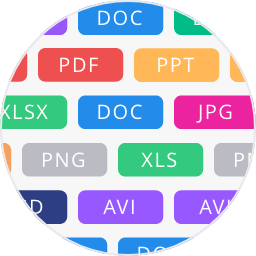
A proposal can take many forms - and definitely more than one file format. Sometimes you send a table, sometimes a spreadsheet, other times a written explanation or a visual. Now, in addition to the good old .pdf, Sellizer supports many other file types you use every day. Supported formats: PDF, DOC, DOCX, XLS, XLSX, PPT, PPTX, PNG, JPG, MP4, HTML.