


-
English
-
Product
- Pricing
-
Help center
- Case studies
-

PDF tracking: see who opens your PDF — and when
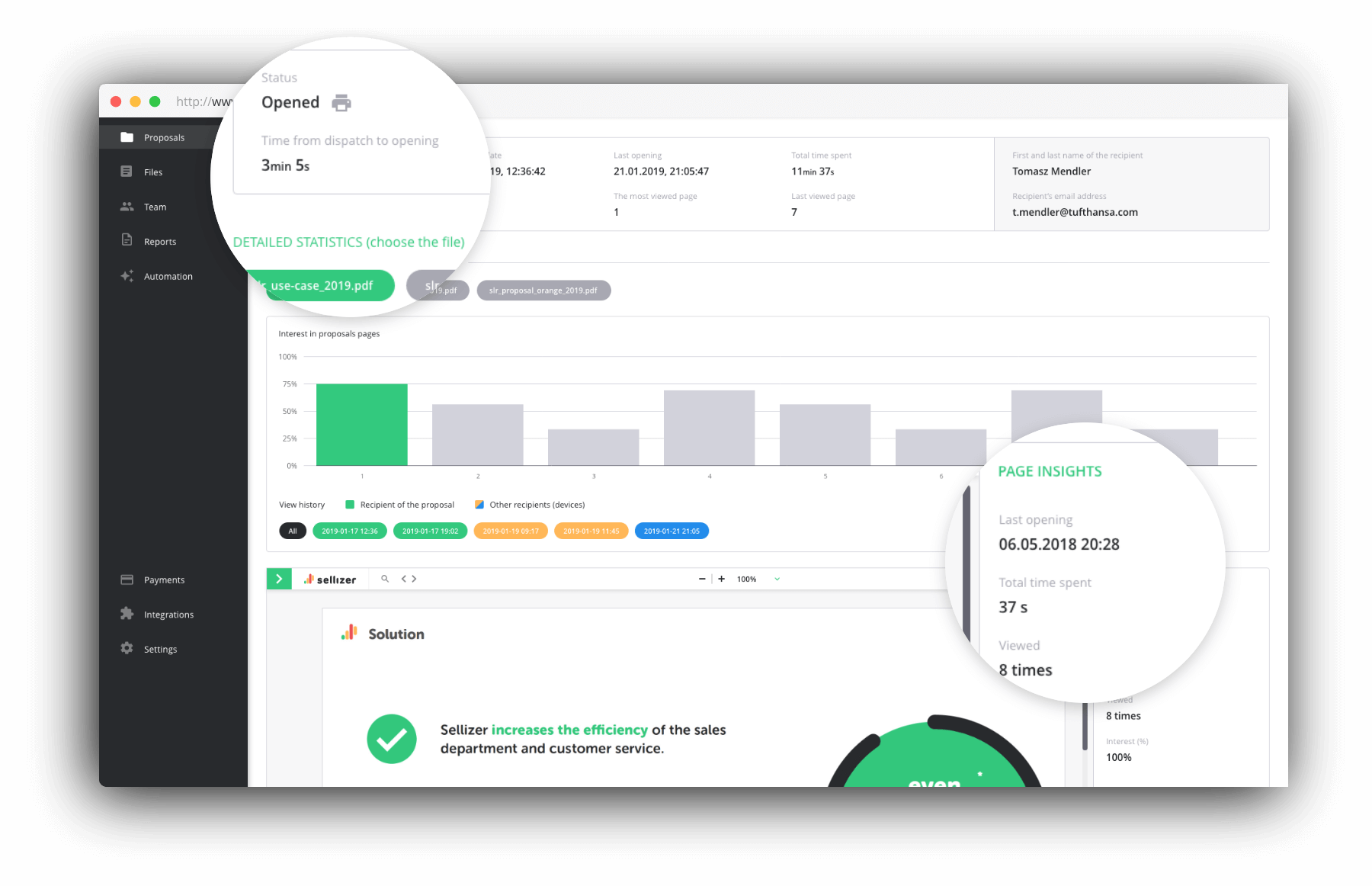
Yes, you can track a PDF after you send it. Sellizer shows you who opened your document, when, how long they read each page and on how many devices — and alerts you by SMS or e-mail the moment it happens. No plugins, no attachments: you share one tracked link.
Track your first PDF freeHow PDF tracking works. Three steps.
No new tools and no process change — your PDF just becomes visible after you hit send.
Upload your PDF
Drop in the file. Sellizer turns it into a private, trackable link that looks like a normal document to the recipient.
Send the link
Share it via e-mail, Slack or your CRM — whatever you already use. The recipient opens it like any other PDF.
Get the alert and read the stats
An SMS or e-mail the moment it is opened. Then: who opened, which pages they read, for how long, and when they came back.
Stop guessing. Start knowing.
- Who opened your PDF — per recipient, even when it was forwarded
- When it was opened — and how many times
- How long they spent on each page
- Whether they downloaded or printed it
The perfect moment to follow up is 5 minutes after they read your PDF. Now you will know when that is.
What happens to a PDF after you send it? More than you think.
Data from 250,000+ B2B documents tracked with Sellizer.
There is always a committee
42% of B2B proposals are read by more than one person — 1.9 readers per document on average.
Attention is brutal
39% of buyers give your document less than 30 seconds.
Documents get re-opened
31% of documents are still read 7 or more days after sending.
What companies using Sellizer report
Source: case study of a metalworking manufacturer, 200+ employees, three sales departments.
PDF tracking — FAQ
Can you see who has opened a PDF?
Yes – if you send it as a tracked link instead of a plain attachment. Sellizer converts your PDF into a private link; when the recipient opens it, you see exactly who opened it, when, how long they read each page and on how many devices, and you get an SMS or e-mail alert in real time.
How do I track a PDF after sending it?
Upload the PDF to Sellizer, send the generated link by e-mail, Slack or your CRM, and watch the statistics: opens, time per page, downloads, prints and return visits. The document itself never changes – the recipient sees a normal PDF.
Does the recipient know the PDF is tracked?
The recipient simply opens a document link in the browser – the reading experience is a normal PDF. Sellizer is GDPR-compliant; you can enable an information notice in the viewer if your process requires it.
Can I track a PDF sent as a regular attachment?
No – a file attached to an e-mail leaves no trace once it is downloaded. That is why Sellizer sends a tracked link instead: same document, full visibility. You can still allow the recipient to download the file.
Which pages of my PDF do recipients actually read?
Sellizer shows time spent per page, so you know which sections held attention and which were skipped – for example whether the pricing page was read at all. That tells you exactly what to bring up in your follow-up call.