Sellizer in Claude

Claude for sales proposals: ask who read yours

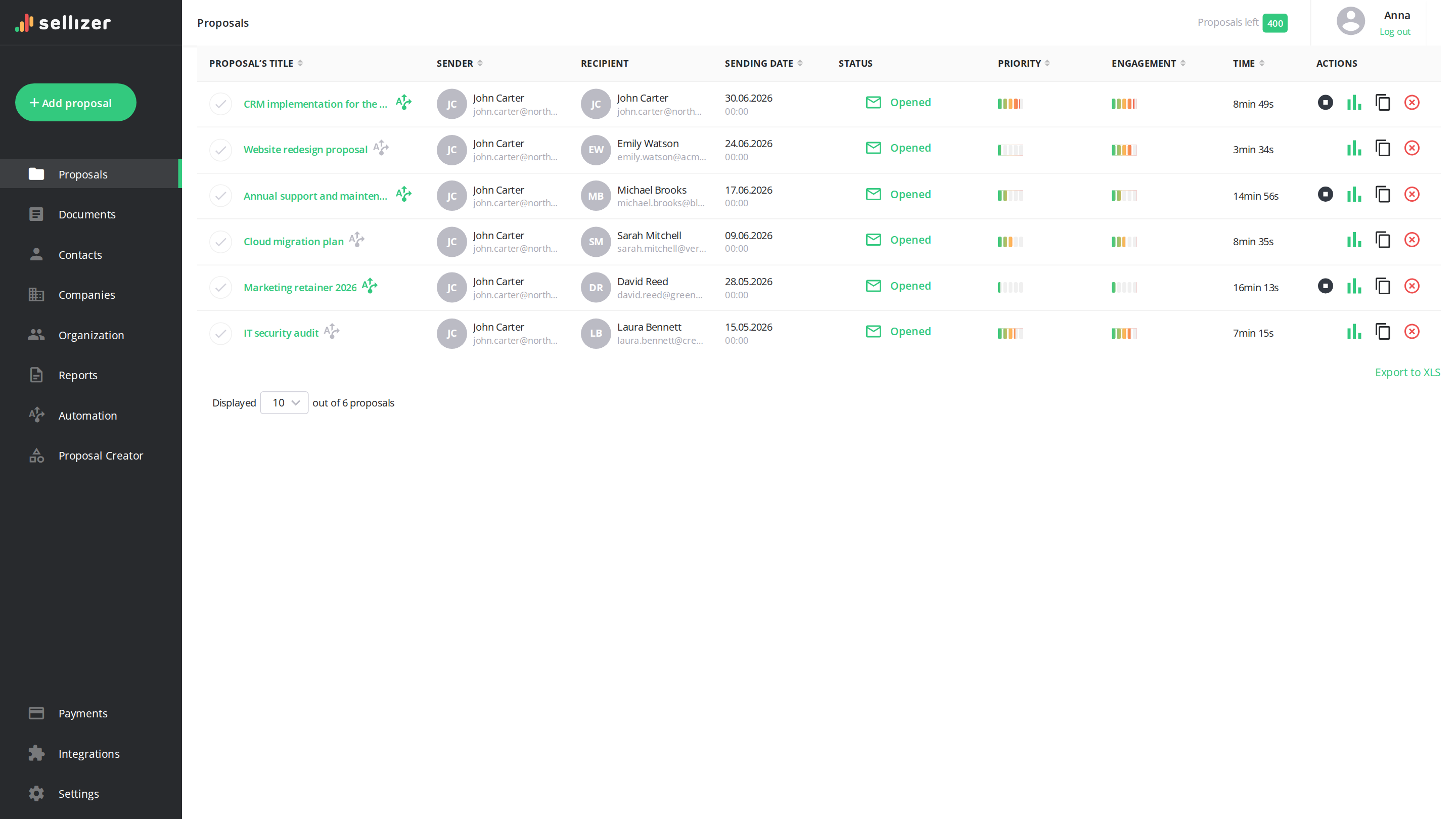
Claude can already read your CRM, your email and your calendar. Connect Sellizer and it also sees what the client did with your proposal: who opened it and which pages they read longest. You ask a question and get the answer from your own account.

  • Connect Sellizer to Claude
  • Ask in plain language
  • Call the client who is reading
Northwind Studio opened the proposal · page 3 of 9
Acme Logistics came back to the pricing page
Bluesky Dev proposal forwarded to a second reader

This site is protected by reCAPTCHA and the Google Privacy Policy and Terms of Service apply.

What Claude knows about your deals, and what it is missing

Sales teams use Claude for account research, call preparation, follow-up emails and pipeline reviews. Through connectors it reads the tools the team already works in, such as the CRM, email and calendar, so nobody has to paste context into the chat.

One part of the deal stays invisible to it. The CRM shows the proposal was sent, but not whether the client opened it or how far they read. Without that, a question like "which of my deals is worth a call today?" gets an answer built on stage names and dates.

Sellizer records what clients do with the proposals you send. Add it to Claude as a custom connector (through the Sellizer MCP server) and Claude can see that data in the conversation.

  • Start the day with one question

    Ask "Who should I call today?" and Claude returns a ranking of the recipients worth contacting now. Each one comes with the reasons for their position and a suggested next step.

    • Repeat opens, a printed proposal and long reading time move a client up the ranking
    • Opens, return visits, dormant proposals and proposals about to expire
    • A daily or weekly digest of what happened with your proposals
    Learn more
    Start the day with one question
  • Prepare for a call in a minute

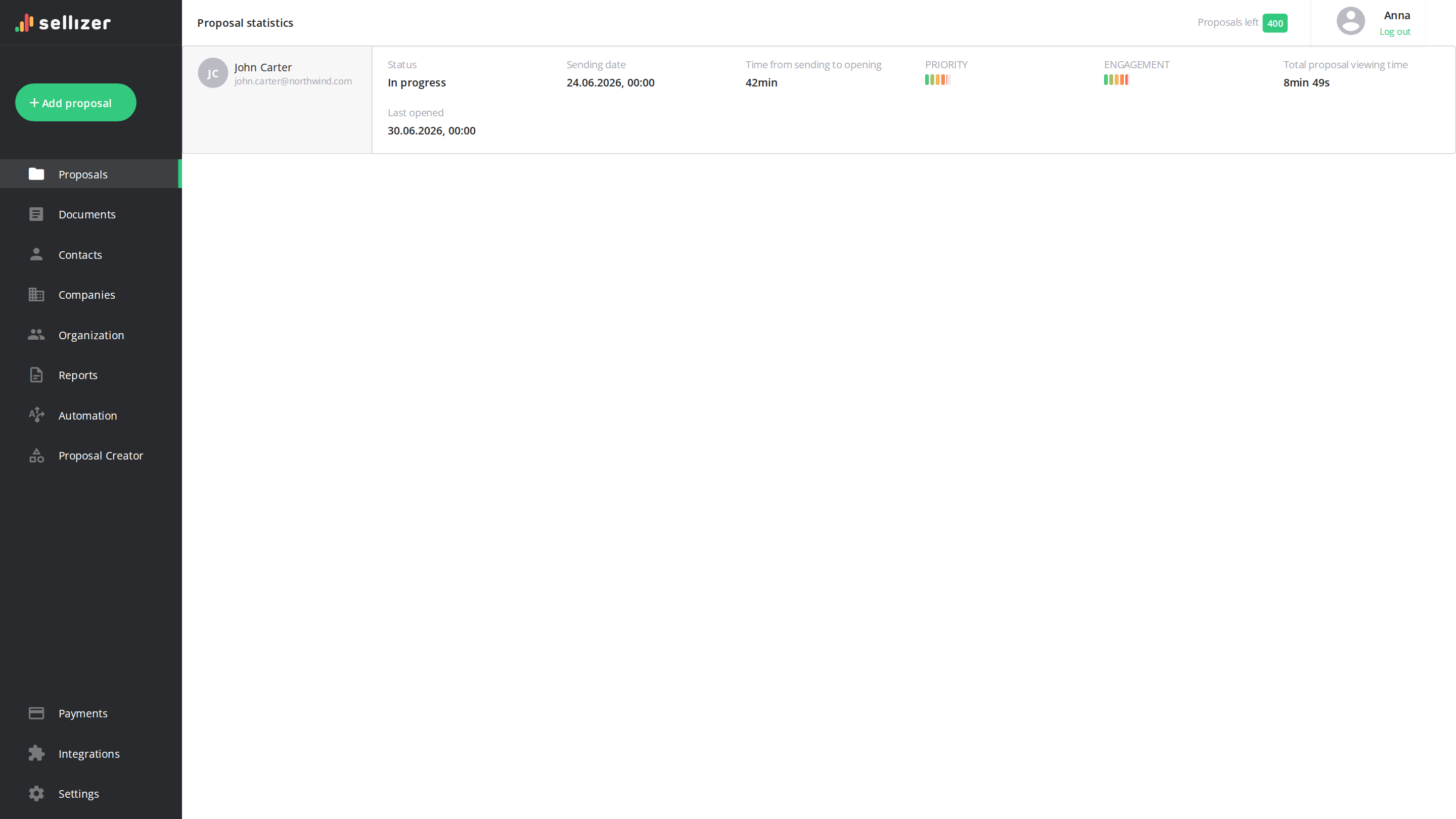
    Before a meeting, ask what this client did with your proposal. Claude answers from what Sellizer recorded about that recipient.

    • Number of opens and devices, plus total reading time
    • Their most-read pages
    • Interest signals: a print, a download, a contact request
    Learn more
    Prepare for a call in a minute
  • See what your proposals have in common

    Ask which pages of your proposal clients read the longest and where they stop.

    • A summary of one chosen proposal
    • Several proposals compared side by side
    • Results per sales rep, for people who have access to the team's proposals
    Learn more
  • Have Claude prepare the next proposal

    Describe the client and the deal, and Claude creates a project in the Sellizer Proposal Builder. Open it there and change anything you like.

    • Content and your brand colors already set in the project
    • Changes to an existing proposal you drop into the chat
    • You send the proposal yourself, Claude sends nothing to clients
    Learn more

Questions to ask Claude about your proposals

You do not need commands. Ask in your own words, in any language, and Claude replies in the same one.

01

Who should I call today?

A ranking of hot leads with the signals behind it and a suggested action for each.

02

Who opened my proposals in the last 24 hours?

Recent opens across everything you have sent, so you can react while the client is reading.

03

Has anyone come back to an old proposal?

Return visits to proposals you had already written off.

04

Which proposals are about to expire?

Proposals close to their expiry date, plus the ones nobody has touched for weeks.

05

Where did this client spend the most time?

The most-read pages of one proposal for one recipient, useful right before a call.

06

Find my proposals for this company

Search by proposal name, recipient, company, status or date and open the full record.

How to connect Sellizer to Claude

You need a Sellizer account, Claude with custom connectors and the address of the Sellizer MCP server: https://api.sellizer.com/mcp. It is the same for everyone.

  1. In Claude on the web or in Claude Desktop, open the connectors list and choose to add a custom connector.

  2. Name it Sellizer and paste the server address.

  3. Leave the Client ID and Client Secret fields empty, unless your Sellizer administrator gave you keys.

  4. Add the connector, log in with your Sellizer account and approve access.

Anthropic makes custom connectors available on the Free, Pro, Max, Ultra, Team and Enterprise plans. A Free account can have one custom connector. On Claude Team and Enterprise plans an Owner adds the connector for the organization first, and then each person connects with their own Sellizer login. The menu names in Claude change from time to time, so follow Anthropic's instructions for custom connectors for the current steps. Our help center has the same steps with screenshots.

Connecting a whole sales team

On the Sellizer Team plan, every team member only needs the server address and their own login by default. An administrator who wants to decide who may connect turns off "Open connection for the team" in the Organization panel and issues keys (a client ID and a client secret) to selected people. The same panel lists every active connection and lets the administrator revoke any of them with one click, for example when someone leaves the company.

What Claude can see and what stays with you

  • Your permissions apply. You log in with your own Sellizer account, and Claude sees only what you can see in Sellizer
  • You do the sending. Claude can prepare a proposal in the Proposal Builder, but it never sends anything to your clients
  • Standard login. The connection uses OAuth 2.1 with PKCE. Access tokens expire after one hour and refresh automatically; together with the secrets, they are stored only as hashes
  • Access you can take back. An administrator can revoke a connection in Sellizer, and you can remove the connector in Claude at any time
  • Support reports need your consent. If an answer does not help, Claude offers to send a report to Sellizer support

In the words of our customers

quotation mark

Sellizer made it possible for us to increase the pace of customer acquisition by 300% last year thanks to additional knowledge of how customers perceive our proposals. I strongly recommend it to anyone who wants to be more efficient in such a fast-changing business and new technologies environment!

Maciej Zagórowski

CEO Fabryka e-biznesu

stripes
quotation mark

Thanks to Sellizer, I know which parts of my proposals are the most interesting for my customers - it gives me great basis to start a valuable conversation. I can also contact with clients in the best time - when they have my proposal right in front of them. Such combination made it so much easier for me to sell projects.

Damian Rams

Digital Analytics Consultant, DamianRams.pl

stripes
quotation mark

We like clever solutions. Just like in Sellizer, we believe that the time of contact with the customer really makes a big difference, so we decided to integrate our tools. Thus, Sellizer user gets a SMS message about the opening of the proposal and statistics and recipients of their proposals can ask for contact via Callpage widget. Awesome!

Sergey Butko

CMO & Co-Founder Callpage

stripes
quotation mark

Using Sellizer has improved our communication, both within and outside the company. In our internal communication, we use Sellizer to send important documents to ensure that they have not been skipped or missed among many other messages. Moreover, thanks to the use of the tool in communication with potential partners, we can see at what stage our relationship is.

Tomasz Świeboda

Managing Partner Inovo.vc

stripes
quotation mark

LinkedIn is the most important channel for communicating with clients. Sellizer allows me to quickly and conveniently send presentations and proposals, and what’s most important, allows me to react quickly to their opening, analyse interest in them and consequently conduct valuable business conversations. I recommend.

Marcin Małaszuk

Ulam Labs

stripes
quotation mark

Sellizer helps us respond to questions from our customers at the right time. Thanks to that we give added value already at the sales stage which allows us to build a relationship with the customer from the very beginning. This is very valuable to us.

Łukasz Białonoga

CEO LIKE.agency

stripes
quotation mark

Although Sellizer can at first glance be seen as a tool only for sending proposals, I can certainly confirm that it also works for sending sales folders, contracts and other documents. Thanks to this, we have a real-time preview of what is the most valuable to the customer in each document (on which parts they spent most of the time) and what needs to be improved.

Michał Boniecki

COO JetSim & JetZone24

stripes
quotation mark

Sellizer enables a thorough analysis of the customer in terms of interest in our proposal, which helps us save time in the further parts of sales process. When receiving information on how long the customer has been reading each pages of the proposal, I can predict whether the sales process will continue or our proposal is just a market recognition for statistical purposes of the potential customer.

Bartosz Makles

CEO DiSC Polska

stripes
quotation mark

Sellizer has become an inseparable tool for us in communication on several levels. As an intermediary in the logistics industry, we come into contact with both operators and their customers. Sellizer allows us to work with both the first (reporting) and the second (sending proposals) Partners. Thanks to the systematisation and transparency of the activities in Sellizer, we have been able to significantly increase the rate of acquired customers.

stripes
quotation mark

Until now, our knowledge has been ending at the stage of sending the proposal - and thanks to Sellizer - now this is the point where the acquisition of the greatest amount of knowledge about the client begins which allows the marketing team to understand better the needs and match the proposal content to the customers and sales team to contact the customers always at the right time. Thanks to the opportunities that Sellizer gives us, we can everyday increase our chances in a game called sales.

Michał Czuba

Marketing manager

stripes
quotation mark

Very often we wondered why, despite sending a large number of proposals, many of them still remained unanswered. Thanks to Sellizer, we have structured our sales process, organized sending proposals and gained awareness of their quality. Now we can easily track which parts of our proposals are the most valuable for our customers and continuously improve them. I am pleased that with Sellizer we make better use of our time as well as the potential of our customers.

Grzegorz Jaskot

Jaskot

stripes
quotation mark

We sincerely recommend Sellizer. It helps our sales team in daily duties and prioritizing customers. But that's not all. At the department level, it gives us the opportunity to improve the entire sales process based on easily measurable criteria.

Michał Drozda

Sales support manager

stripes
quotation mark

Thanks to Sellizer we have optimized our process of preparing proposals. With data sets we create tailor-made proposals to meet customers’ needs and expectations, which improves the conversion rate. I’d recommend it to anyone!

Sebastian Żarnowski

Customer Services Specialist, Kampanie SEO

stripes

Selected Clients:

Sellizer in Claude: questions

Can Claude see whether a client opened my proposal?

Yes, if Sellizer is connected and you sent the proposal through it. Claude can then tell you how many times the recipient opened it and on how many devices, how long they spent on it and which pages they read the most.

How do I add Sellizer to Claude?

Add a custom connector in Claude and paste the address of the Sellizer MCP server, https://api.sellizer.com/mcp. Leave the Client ID and Client Secret fields empty, save and log in with your Sellizer account.

Which Claude plan do I need for a custom connector?

According to Anthropic, custom connectors are available on the Free, Pro, Max, Ultra, Team and Enterprise plans, and a Free account is limited to one custom connector. On Team and Enterprise plans an Owner adds the connector for the organization.

Can Claude send a proposal to my client?

No. Claude can prepare a proposal in the Sellizer Proposal Builder or improve one you already have. You check it and send it yourself.

Does everyone on my team see all proposals in Claude?

No. Each person logs in with their own Sellizer account, and Claude shows them only the proposals they have access to in Sellizer. An administrator can also limit who may connect and revoke any active connection.

Which Sellizer plan works with Claude?

You can connect Claude on both the Solo and Team plans. Organization settings, such as access keys and the list of active connections, come only with Team and are available to administrators.

Send your next proposal through Sellizer and ask Claude what the client did with it

Try it free for 14 days