For manufacturers

Quote tracking for manufacturers: see what the buyer does after you hit send

You price the job in your manufacturing quoting software, CPQ or a spreadsheet. Once the quote is ready, send it from Sellizer as a tracked link. See when the buyer opens it and how long they spend on the spec or the price table. You'll also see whether they forwarded it and how many people viewed it. An SMS tells you when they first open it.

  • Upload the quote and drawings
  • Send the link by email
  • Get an alert when it's opened
Northwind Industrial opened your quote
Northwind Industrial is reading page 4 (lead times) · 3 min
Northwind Industrial opened the quote on a second device

This site is protected by reCAPTCHA and the Google Privacy Policy and Terms of Service apply.

What your quoting tool can't tell you

Your ERP or CPQ configures the product and works out the price and lead time. Once the PDF goes out, you hear nothing until the buyer calls back. Meanwhile they compare suppliers and pass the quote to engineering and purchasing.

You don't know whether the buyer opened the quote

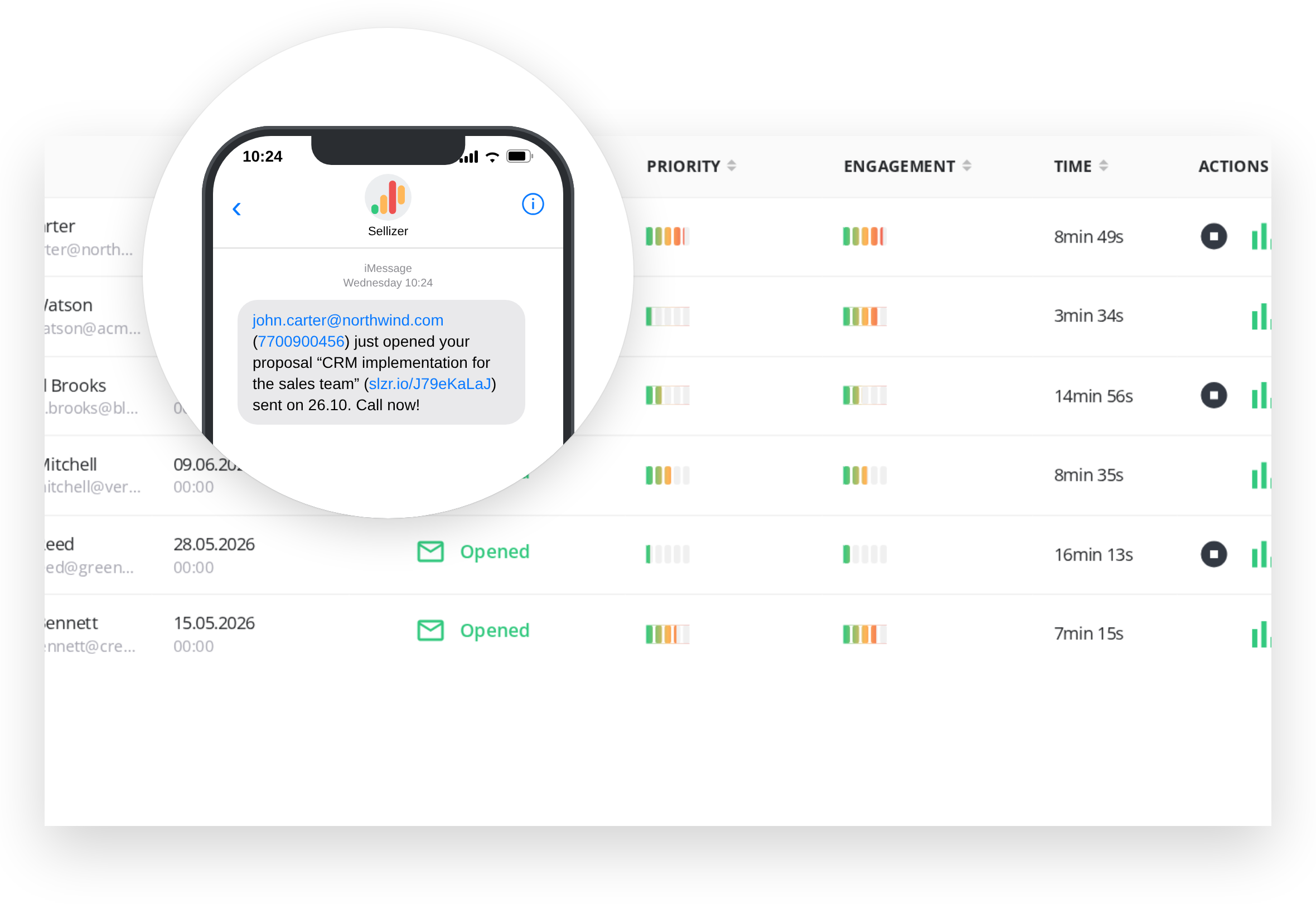
When the buyer first opens the quote, you get an SMS and an email with a link to the statistics and the recipient's phone number.

You can't tell whether they checked the price, the spec or the lead time

Time on each page shows what held the buyer's attention: the technical specification, the price table, delivery terms or warranty. That's where you start the call.

Several people decide, and you talk to one of them

Sellizer shows whether the quote was forwarded and how many people viewed it.

A buyer comes back to a quote from months ago and you never know

You also get an email when someone comes back to an old quote. One of our customers, a steel structure manufacturer, calls right away, while the topic is fresh again.

  • Call while the quote is on their screen

    The first time the buyer opens the quote, you get an SMS and an email, and every later open is reported by email. Each alert includes a link to the statistics and the recipient's phone number, so you can call right away.

    • SMS when the quote is first opened
    • Email on every open
    • Recipient's phone number in the alert
    Learn more
    Call while the quote is on their screen
  • See which parts of the quote they read longest

    See reading time page by page, prints, downloads and forwards. Send the quote, drawings, catalog and certificates in one link, and each file gets its own statistics.

    • Time on each page and total reading time
    • Prints, downloads and forwards
    • Up to 10 files of 200 MB each in one quote
    Learn more
    See which parts of the quote they read longest
  • Find the line they read twice

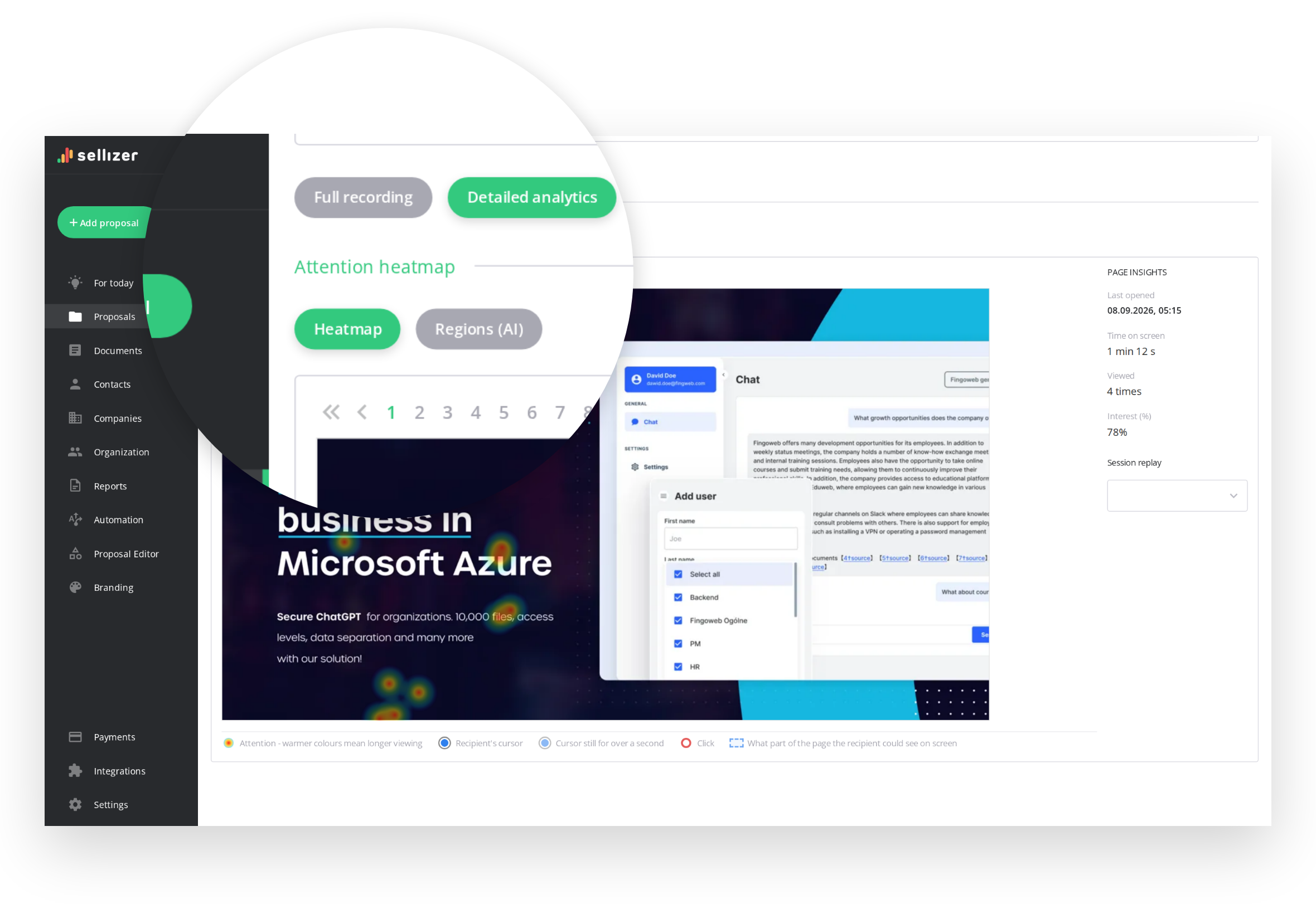
    The heatmap shows where the buyer lingered on each page. Session replay records the whole visit, so you can watch it step by step: the order of pages, the scrolling and the clicks.

    • Heatmap over your document
    • Recording of every visit
    • Clicks on links in the quote
    Learn more
    Find the line they read twice
  • Know which quote to follow up on first

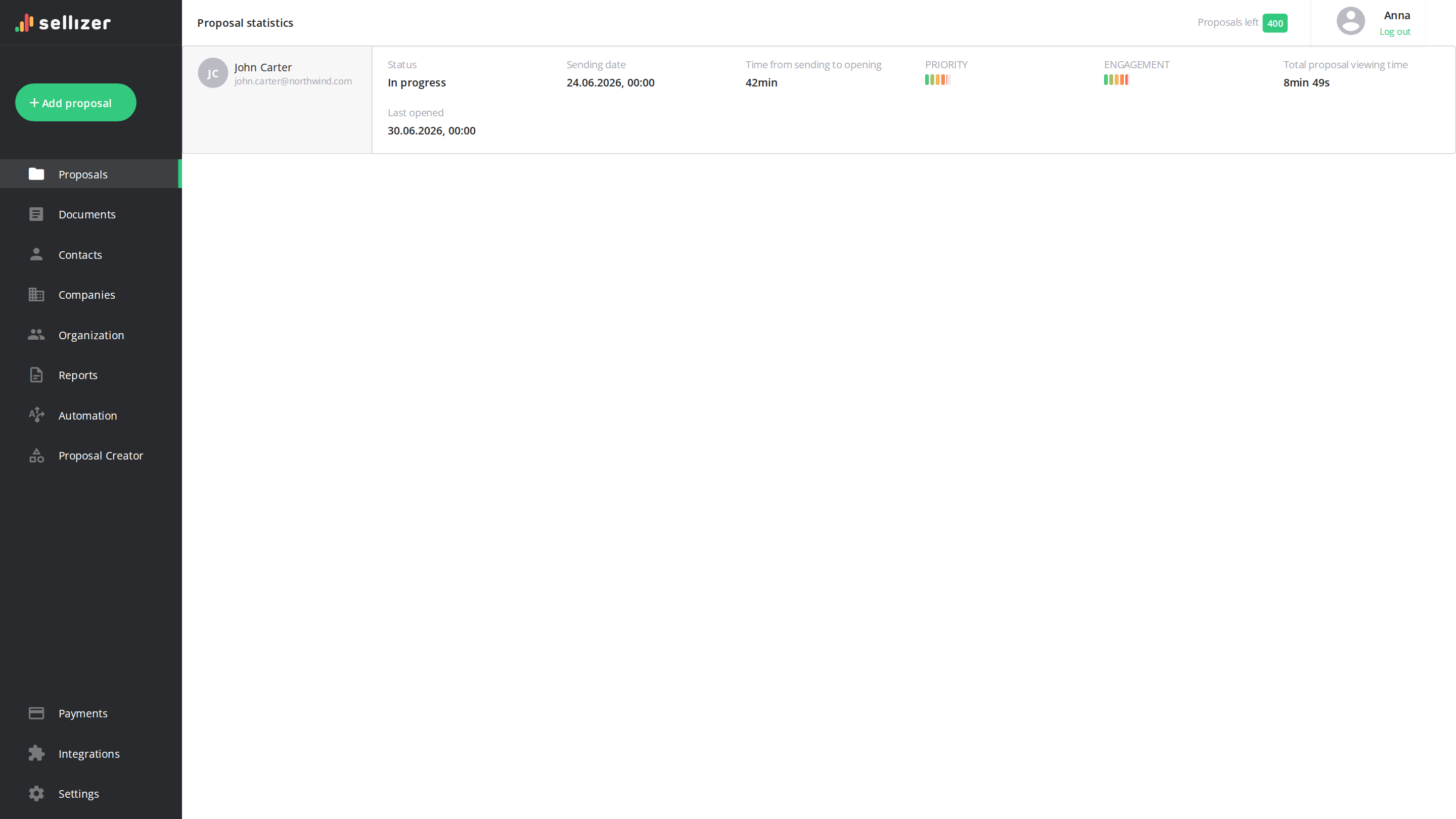
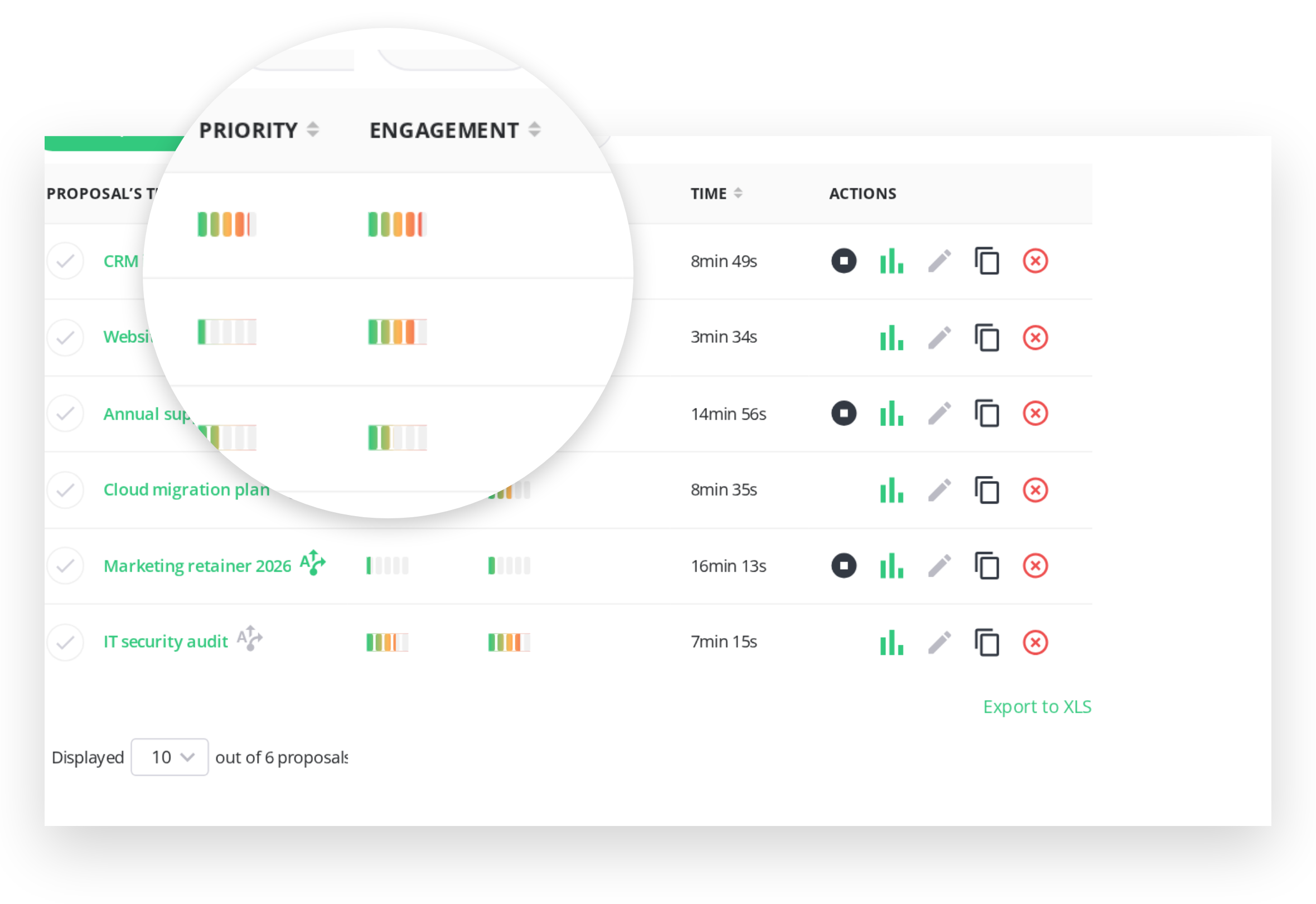
    Each quote gets two scores from 0 to 100. PRIORITY shows who is active right now and drops when the buyer stops opening it. ENGAGEMENT stays at the buyer's peak level of interest, so a buyer who went quiet a month ago doesn't drop out of sight.

    • PRIORITY: who to call today
    • ENGAGEMENT: who was close to a decision
    • Based on reading time, downloads, returns and contact requests
    Learn more
    Know which quote to follow up on first

Two manufacturers that track their quotes

Case study

Metal manufacturer, 200+ employees

Three sales departments and customers in automotive, HVAC and AgTech. Deal-closing time fell by 47%, and reps spend about 33% less time on calls after sending a proposal. The data also showed that each segment reads different parts of the same proposal, so the company prepared separate materials for each.

Read the case study
Case study

Steel structure manufacturer

Containers, metal bins and hydraulic equipment for clients in Poland and across the EU. Reps see when a client comes back to a quote after weeks or months. The team checked which products clients spend the most time on and restructured its proposals, putting the most frequently chosen solutions first.

Read the case study

"We used to call blind. Now we go into the conversation knowing what the client has already seen and what made them stop."

Head of Sales, metal manufacturer

How Sellizer works alongside your quoting tools

Pricing stays where it is

Your ERP or CPQ still handles pricing

Configuration and the bill of materials stay in your system too. Sellizer takes the finished quote and tracks it after you send it.

Files

Upload what you already export

PDF, DOC, DOCX, XLS, XLSX, PPT, PPTX, PNG, JPG, MP4 or HTML. Send the link by email or paste it into any channel you use with the buyer.

Data

Reading data in your CRM

Integrations with HubSpot, Salesforce, Microsoft Dynamics 365, Pipedrive and other CRMs, plus an API and webhooks for your own systems.

Who uses Sellizer in manufacturing

  • Manufacturers of steel structures, machines and equipment who send quotes and catalogs as PDF files to business buyers
  • Sales teams with long sales cycles, where the buyer takes weeks or months and several people sign off
  • Companies that sell to several industries and want to see which parts of the quote each segment reads
  • Sales directors who want results from every department in one place

Selected Clients:

Questions from manufacturers

Is Sellizer manufacturing quoting software?

No. Pricing, product configuration and the bill of materials stay in your ERP, CPQ or estimating tool. Sellizer takes the finished quote and shows what happens after you send it: opens, reading time per page, prints, downloads and forwards.

Can I send a quote exported from our ERP?

Yes. Upload it as PDF, DOC, DOCX, XLS, XLSX, PPT, PPTX, PNG, JPG, MP4 or HTML. One proposal holds up to 10 files of up to 200 MB each, so you can send the quote, drawings and catalogue in one link, with statistics for each file.

Does Sellizer work with our CRM?

Sellizer integrates with HubSpot, Salesforce, Microsoft Dynamics 365, Pipedrive, Zoho CRM, monday CRM and other CRMs. Any other system can connect through the API and webhooks.

How do I know when to call the buyer?

You get an SMS on the first open and an email on every open after that. The PRIORITY score (0-100) shows who is reading right now, and ENGAGEMENT shows who was close to a decision before going quiet.

Can I follow up automatically after sending a quote?

Yes. You write the messages and set the intervals, and Sellizer sends them. With your mailbox connected and reply detection on, Sellizer stops the sequence as soon as the buyer replies. You can also stop it yourself at any time.

Can I try it before buying?

Yes, Sellizer is free for 14 days.

See who reads your next quote

Try it free for 14 days