Sellizer + ChatGPT

Sellizer in ChatGPT: ask about your proposals, draft new ones

On its own, ChatGPT knows nothing about the proposals you sent last week. Add Sellizer as a connector and ChatGPT can see who opened each proposal and how long they spent reading it. Ask in plain language and the answer comes from your own data.

  • Connect Sellizer to ChatGPT
  • Ask about your proposals
  • Review the draft and send it yourself
Northwind Studio opened the proposal · page 3 of 9
Acme Logistics came back to the pricing page
Bluesky Dev proposal forwarded to a second reader

This site is protected by reCAPTCHA and the Google Privacy Policy and Terms of Service apply.

What changes when ChatGPT can see your proposals

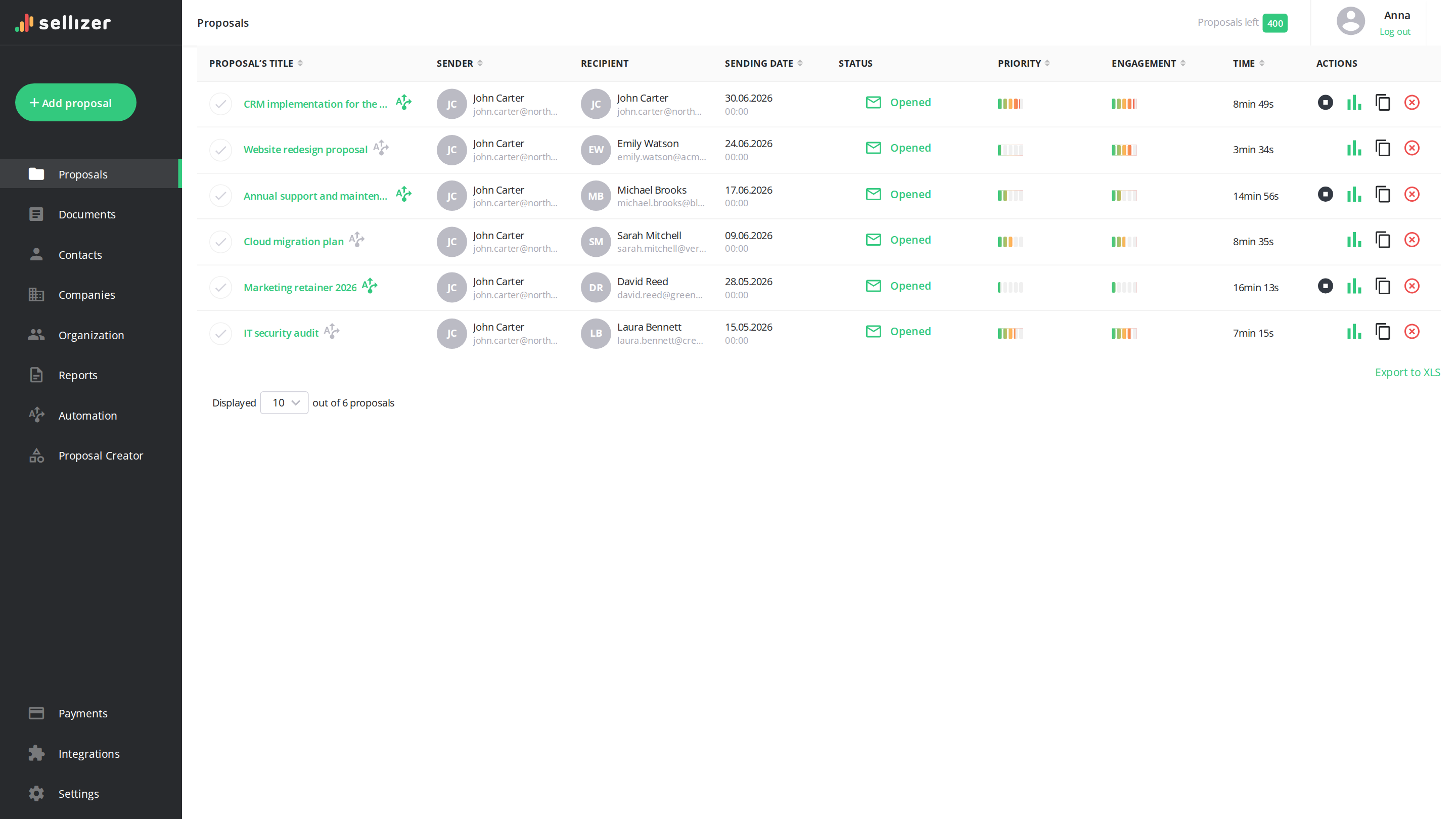
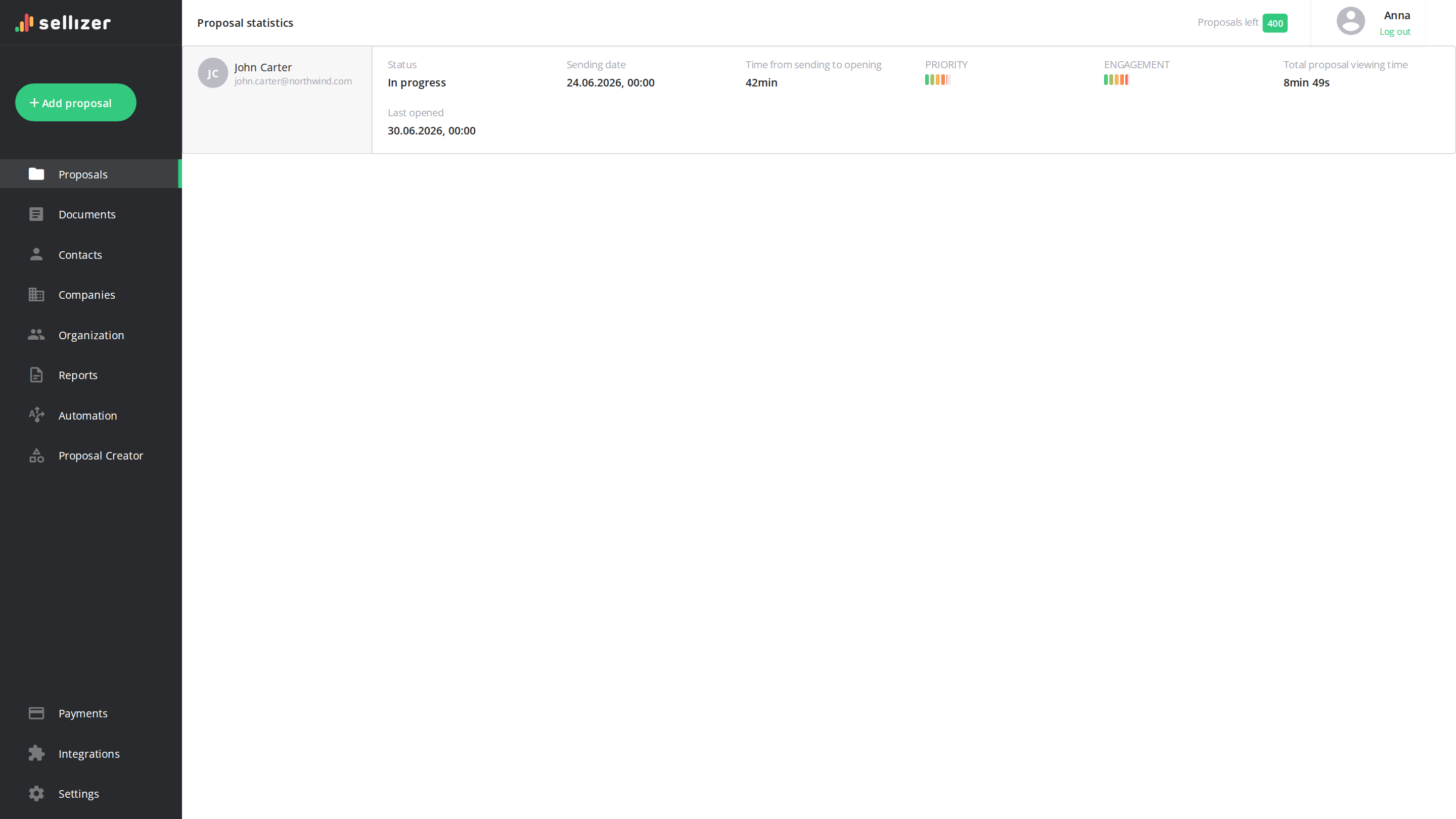
Sellizer records what a client does with a proposal after you send it: opens, time spent per page, printouts, downloads and return visits after a long gap. Normally you check this in your proposal list and in each one's statistics.

With Sellizer connected, ChatGPT reads the same data for you. It picks the right figures itself, so you can talk to it the way you would to a colleague: ask who is worth a call or what's happening with a particular client's proposal.

The connection runs through the Sellizer MCP server. MCP (Model Context Protocol) is an open standard for connecting AI applications to external systems. In ChatGPT, Sellizer is connected as a custom connector, using one server address and your Sellizer login.

  • "Who should I call today?"

    ChatGPT ranks your hot leads, explains why each one is on the list and suggests a next step. You start the day with a short call list instead of going through every proposal you've sent.

    • Signals such as repeat opens, a printed proposal or long reading time
    • Proposals that clients came back to, and ones that went quiet
    • Proposals that expire soon
    Learn more
    "Who should I call today?"
  • "Who read the proposal, and which pages?"

    Ask about one recipient or one proposal and you'll see how many times it was opened, on how many devices, for how long and which pages got the most attention. Before a call you know whether the client lingered on the scope or went straight to pricing.

    • Search by proposal name, recipient, company, status or date
    • A summary of one proposal or a comparison of two
    • Performance by rep, plus a daily or weekly digest
    Learn more
    "Who read the proposal, and which pages?"
  • "Draft a proposal for this client."

    ChatGPT creates a project in the Sellizer Proposal Builder, fills it with content from your conversation and applies your brand colors. You open the draft in the Proposal Builder and change anything you like.

    • Start from your company description, colors, logo and guidelines for each page
    • Or drop in an existing proposal and say what to change
    • The draft waits in your account until you decide to send it
    Learn more

Questions to try in your first chat

Six questions to start with.

01

Who should I call today?

A ranking of hot leads with the signals that put each client on the list.

02

Which pages of my proposal do clients read the longest?

The pages clients spend the most time on, and the ones they skip.

03

What has happened with my proposals since yesterday?

New opens, returns to older proposals, printouts, downloads and contact requests.

04

Which proposals have gone quiet?

Dormant proposals and ones that expire soon, so you can decide where a follow-up makes sense.

05

How did the team do this week?

How each rep did, with a weekly summary of proposals sent and opened.

06

Draft a proposal for this client.

A new project in the Proposal Builder with your content and brand colors, ready for your edits.

How to connect Sellizer to ChatGPT

You need a Sellizer account, a ChatGPT Business, Enterprise or Edu account that is allowed to add custom connectors, and the server address: https://api.sellizer.com/mcp. The address is the same for everyone.

  1. In ChatGPT, open Plugins and click the plus button to add a new one.

  2. In the Connection section, add a custom connector and paste the server address.

  3. Tick I understand and want to continue and create the plugin.

  4. Log in with your Sellizer account and approve access.

Then start a new chat and ask your first question. You can also type @ and pick Sellizer, so ChatGPT knows where to look.

According to OpenAI's help center, custom MCP servers work on the ChatGPT Business, Enterprise and Edu plans, in the web version. On Business only admins and owners can connect them; on Enterprise and Edu, so can members an admin has authorized. On Pro, OpenAI allows a custom MCP server with read access only. Once an admin has published Sellizer for the workspace, you'll find it in the Plugins list: click the plus button and log in.

The full instructions, with screenshots, are in the help article How to connect ChatGPT.

Connecting a whole sales team

No setup is needed by default. Every team member connects with the same server address and their own login, and the chat sees only that person's data.

An administrator who wants tighter control has three tabs in the Organization panel in Sellizer:

  • MCP Server: the server address and the "Open connection for the team" toggle. With the toggle off, the address alone is not enough to connect.

  • MCP Clients: here the administrator creates a client_id and client_secret for the people who should keep access.

  • MCP Sessions: a list of active connections showing who is connected, through which application and until when. Any of them can be revoked with one click, for example when someone leaves the company.

What ChatGPT can and cannot do in your account

  • It never sends anything to your clients. ChatGPT prepares a draft, and you do the sending.
  • It sees what you see. You log in with your own Sellizer account, so the chat reaches only the data you have access to.
  • The connection is encrypted and uses OAuth 2.1 with PKCE. Access tokens are valid for one hour and refresh automatically.
  • Access can be revoked. An administrator can end any active connection in the MCP Sessions tab.
  • ChatGPT may ask you first. Depending on your settings, it asks for approval before it reads data or takes an action.

What OpenAI does with the data ChatGPT reads

It depends on your ChatGPT plan, so check yours before you connect client data. According to OpenAI's help center, on the ChatGPT Business, Enterprise and Edu plans, information accessed from connected apps is not used to train models by default. On the Free, Go, Plus and Pro plans it may be used when the "Improve the model for everyone" setting is on. You can turn it off in ChatGPT.

In the words of our customers

quotation mark

Sellizer made it possible for us to increase the pace of customer acquisition by 300% last year thanks to additional knowledge of how customers perceive our proposals. I strongly recommend it to anyone who wants to be more efficient in such a fast-changing business and new technologies environment!

Maciej Zagórowski

CEO Fabryka e-biznesu

stripes
quotation mark

Thanks to Sellizer, I know which parts of my proposals are the most interesting for my customers - it gives me great basis to start a valuable conversation. I can also contact with clients in the best time - when they have my proposal right in front of them. Such combination made it so much easier for me to sell projects.

Damian Rams

Digital Analytics Consultant, DamianRams.pl

stripes
quotation mark

We like clever solutions. Just like in Sellizer, we believe that the time of contact with the customer really makes a big difference, so we decided to integrate our tools. Thus, Sellizer user gets a SMS message about the opening of the proposal and statistics and recipients of their proposals can ask for contact via Callpage widget. Awesome!

Sergey Butko

CMO & Co-Founder Callpage

stripes
quotation mark

Using Sellizer has improved our communication, both within and outside the company. In our internal communication, we use Sellizer to send important documents to ensure that they have not been skipped or missed among many other messages. Moreover, thanks to the use of the tool in communication with potential partners, we can see at what stage our relationship is.

Tomasz Świeboda

Managing Partner Inovo.vc

stripes
quotation mark

LinkedIn is the most important channel for communicating with clients. Sellizer allows me to quickly and conveniently send presentations and proposals, and what’s most important, allows me to react quickly to their opening, analyse interest in them and consequently conduct valuable business conversations. I recommend.

Marcin Małaszuk

Ulam Labs

stripes
quotation mark

Sellizer helps us respond to questions from our customers at the right time. Thanks to that we give added value already at the sales stage which allows us to build a relationship with the customer from the very beginning. This is very valuable to us.

Łukasz Białonoga

CEO LIKE.agency

stripes
quotation mark

Although Sellizer can at first glance be seen as a tool only for sending proposals, I can certainly confirm that it also works for sending sales folders, contracts and other documents. Thanks to this, we have a real-time preview of what is the most valuable to the customer in each document (on which parts they spent most of the time) and what needs to be improved.

Michał Boniecki

COO JetSim & JetZone24

stripes
quotation mark

Sellizer enables a thorough analysis of the customer in terms of interest in our proposal, which helps us save time in the further parts of sales process. When receiving information on how long the customer has been reading each pages of the proposal, I can predict whether the sales process will continue or our proposal is just a market recognition for statistical purposes of the potential customer.

Bartosz Makles

CEO DiSC Polska

stripes
quotation mark

Sellizer has become an inseparable tool for us in communication on several levels. As an intermediary in the logistics industry, we come into contact with both operators and their customers. Sellizer allows us to work with both the first (reporting) and the second (sending proposals) Partners. Thanks to the systematisation and transparency of the activities in Sellizer, we have been able to significantly increase the rate of acquired customers.

stripes
quotation mark

Until now, our knowledge has been ending at the stage of sending the proposal - and thanks to Sellizer - now this is the point where the acquisition of the greatest amount of knowledge about the client begins which allows the marketing team to understand better the needs and match the proposal content to the customers and sales team to contact the customers always at the right time. Thanks to the opportunities that Sellizer gives us, we can everyday increase our chances in a game called sales.

Michał Czuba

Marketing manager

stripes
quotation mark

Very often we wondered why, despite sending a large number of proposals, many of them still remained unanswered. Thanks to Sellizer, we have structured our sales process, organized sending proposals and gained awareness of their quality. Now we can easily track which parts of our proposals are the most valuable for our customers and continuously improve them. I am pleased that with Sellizer we make better use of our time as well as the potential of our customers.

Grzegorz Jaskot

Jaskot

stripes
quotation mark

We sincerely recommend Sellizer. It helps our sales team in daily duties and prioritizing customers. But that's not all. At the department level, it gives us the opportunity to improve the entire sales process based on easily measurable criteria.

Michał Drozda

Sales support manager

stripes
quotation mark

Thanks to Sellizer we have optimized our process of preparing proposals. With data sets we create tailor-made proposals to meet customers’ needs and expectations, which improves the conversion rate. I’d recommend it to anyone!

Sebastian Żarnowski

Customer Services Specialist, Kampanie SEO

stripes

Selected Clients:

Sellizer in ChatGPT: questions

How do I add Sellizer to ChatGPT?

You add it as a custom connector. In ChatGPT open Plugins, click the plus button, paste the server address https://api.sellizer.com/mcp in the Connection section, confirm and log in with your Sellizer account. The address is the same for every user.

Which ChatGPT account do I need?

A ChatGPT Business, Enterprise or Edu account, used on the web. According to OpenAI, only these plans have full support for custom MCP servers, and on Business admins and owners connect them. If you cannot add a new plugin, ask the person who manages ChatGPT in your company to add Sellizer. After that, all you have to do is log in.

Can ChatGPT send a proposal to my client?

No. ChatGPT can prepare a proposal draft in the Proposal Builder, but it never sends anything to your clients. You open the draft, check it and send it yourself.

What Sellizer data can ChatGPT see?

Only the data your own Sellizer account has access to. You log in with your account when you connect, and on a team, everyone's chat sees only their own data.

How does a team connect Sellizer to ChatGPT?

By default each person connects with the server address and their own login. An administrator can turn off the "Open connection for the team" toggle in the Organization panel and hand out a client_id and client_secret to selected people. Active connections are listed in the MCP Sessions tab and can be revoked there.

Can I ask ChatGPT about my proposals in Polish or another language?

Yes. You can ask in any language and ChatGPT replies in the same one.

Send your proposals through Sellizer and ask ChatGPT what happened next

Try it free for 14 days